
What is this?
When customizing a theme in WordPress, you might sometimes run into an error message in a red box like the one in the image below, saying
"Saving failed," "Update failed. The response is not a valid JSON response," or "Saving failed."
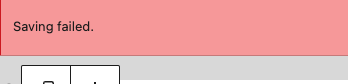
This post covers how to fix it.
Verified as of September 2024.
How to fix "Saving failed"
I ran into this error while using WordPress's default theme, Twenty Twenty-Four.
It only showed up when saving from the template customization screen.
If you're hosting with Onamae.com
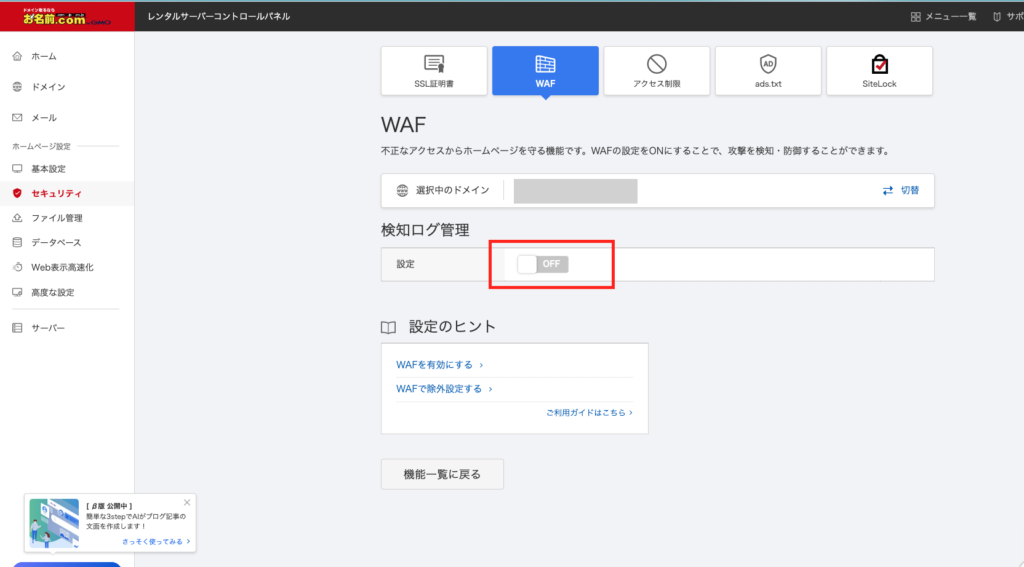
If you're using Onamae.com, the WAF security setting in the Onamae.com control panel may be turned ON.
Try turning it OFF.
To do so, go to the rental server control panel.
https://cp.onamae.ne.jp/homepagesecurity/waf
In the left sidebar you'll find a Homepage Settings/Security section — select it,
tap the WAF item, and turn off the Detection Log Management setting.
If you're using a security plugin
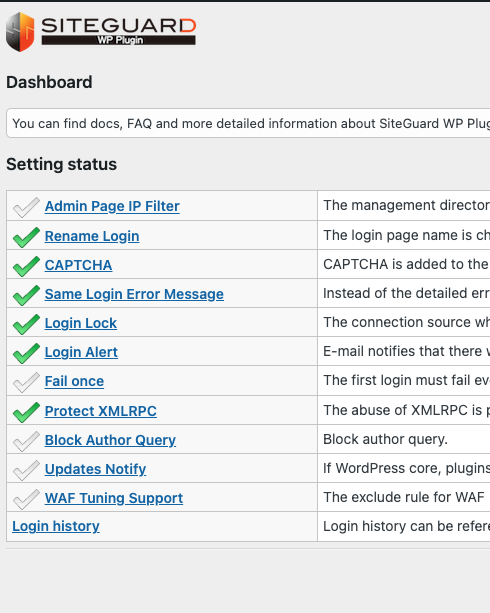
Some WordPress plugins, such as "SiteGuard," ship with their own WAF security setting.
Just turn it off from the plugin's settings screen and you should be fine.
If none of this fixes it
If the issue still isn't resolved, feel free to leave a comment. I might be able to help.
What is a WAF security setting, anyway?
A WAF (Web Application Firewall) is a security system designed to protect web applications from unauthorized access and attacks.
A WAF's job is to detect and defend against application-level attacks.
Specifically, it detects things like SQL injection, cross-site scripting (XSS), and malicious HTTP requests,
and blocks them before they reach the web application.
A WAF sits at the boundary of the network. Where a conventional firewall mainly protects communication at the network layer,
a WAF monitors traffic to and from web applications and identifies attack patterns.
Deploying one can meaningfully improve the security of any publicly exposed web service or application.
There are a couple of common types of WAF:
- Host-based WAF: installed directly on the server, deployed on each individual web server.
- Cloud-based WAF: delivered as a cloud service, protecting web applications from attacks over the internet.
Deploying a WAF reduces the risk of data leaks or service outages from unauthorized access or attacks, making it one of the more important security measures you can put in place.
How it works
How it works
A WAF sits between the web server and the internet, and protects web applications through the following flow.
1. Traffic monitoring: the WAF monitors HTTP/HTTPS traffic heading to the web application in real time.
2. Rule-based inspection: the WAF comes preconfigured with rule (signature) sets for common attack patterns and threats, and inspects traffic against these rules.
• Examples: SQL injection, cross-site scripting (XSS), file upload attacks, and so on.
3. Attack detection and blocking: when a request shows signs of an attack, the WAF blocks it and stops the attack before it lands. It can also log the details of the attack and notify administrators.
4. Allowing normal requests: requests that don't violate the rules reach the web server as usual, and the application behaves normally.