

flutter build iosRunning that command produced the following error.
══════════
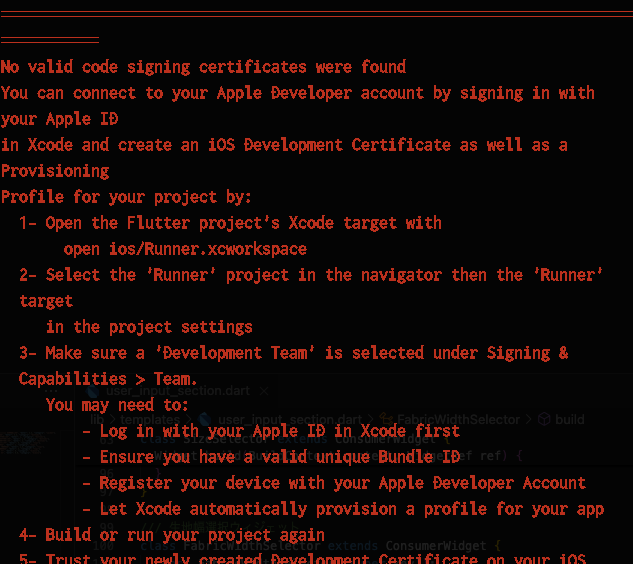
No valid code signing certificates were found
You can connect to your Apple Developer account by signing in with
your Apple ID
in Xcode and create an iOS Development Certificate as well as a
Provisioning
Profile for your project by:
  1- Open the Flutter project's Xcode target with
       open ios/Runner.xcworkspace
  2- Select the 'Runner' project in the navigator then the 'Runner'
  target
     in the project settings
  3- Make sure a 'Development Team' is selected under Signing &
  Capabilities > Team.
     You may need to:
         - Log in with your Apple ID in Xcode first
         - Ensure you have a valid unique Bundle ID
         - Register your device with your Apple Developer Account
         - Let Xcode automatically provision a profile for your app
  4- Build or run your project again
  5- Trust your newly created Development Certificate on your iOS
  device
     via Settings > General > Device Management > [your new
     certificate] > Trust

For more information, please visit:
  https://developer.apple.com/library/content/documentation/IDEs/Conce
  ptual/
  AppDistributionGuide/MaintainingCertificates/MaintainingCertificates
  .html

Or run on an iOS simulator without code signing
══════════════════════════════════════════════════════════════════════
══════════
No development certificates available to code sign app for device
deployment
Solution
Open the ios/Runner.xcworkspace file from the terminal.
open ios/Runner.xcworkspace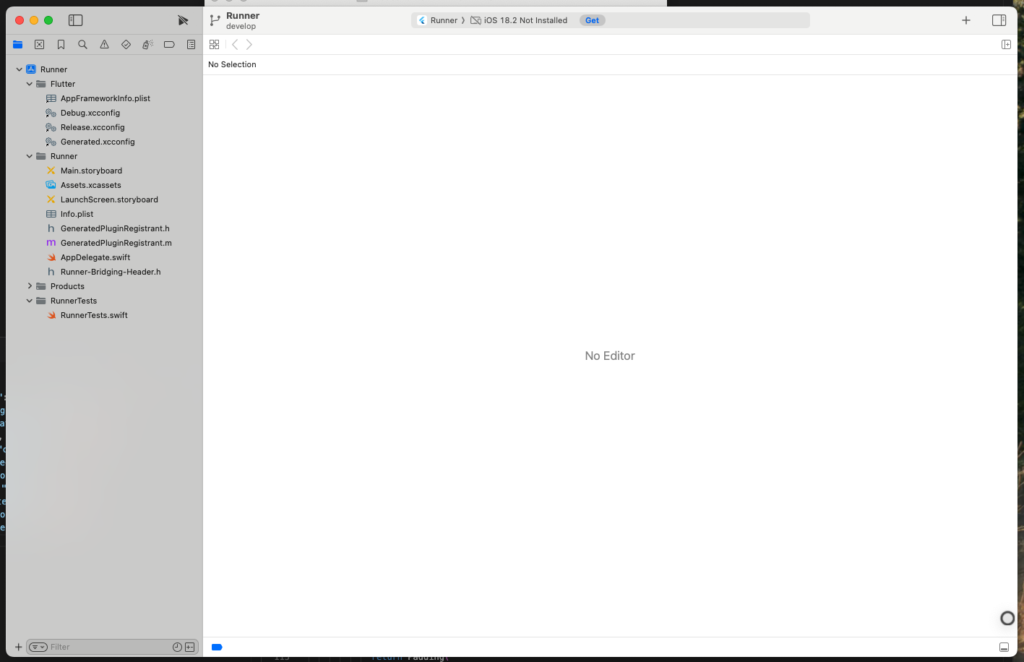
In Xcode, select the "Runner" project.
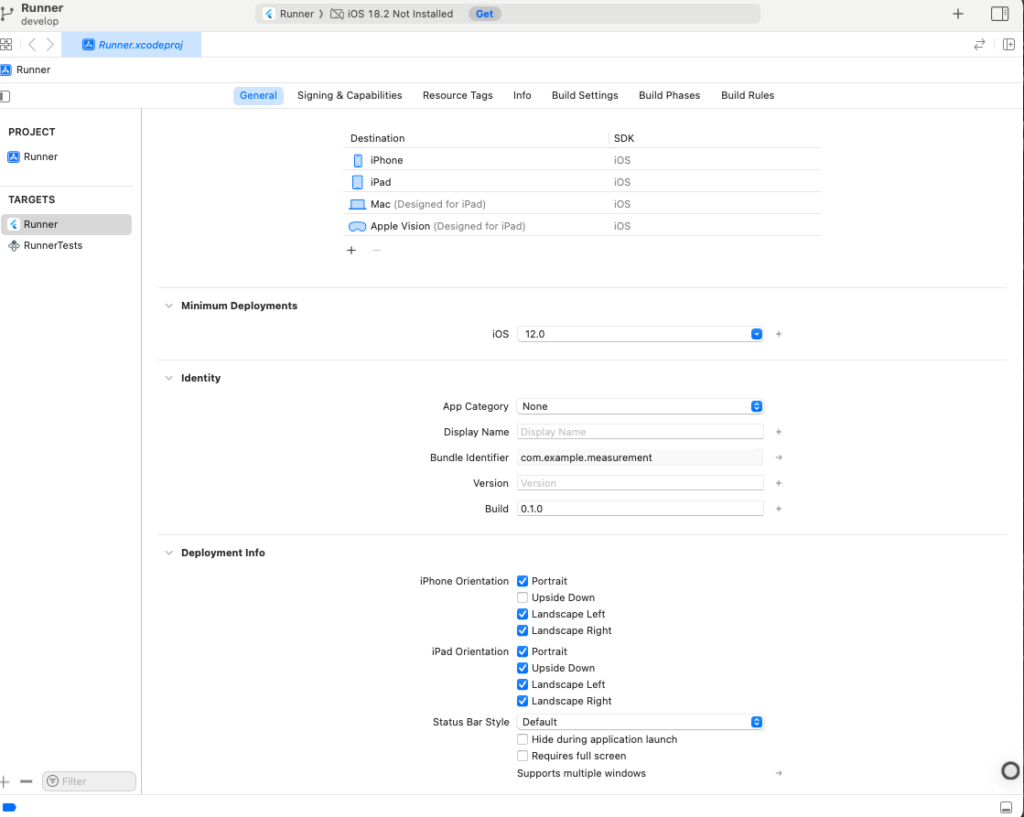
Open the "Signing & Capabilities" tab.
In my case, since it had been a while since I last uploaded to the store, the cause turned out to be that I hadn't agreed to the latest program agreement.
Unable to process request – PLA Update available
You currently don’t have access to this membership resource. To resolve this issue, agree to the latest Program License Agreement in your developer account.
Agreeing to it in App Store Connect fixed the problem.
Check “Automatically manage signing” (automatic signing management).
From the "Team" dropdown, select your Apple Developer account.
Confirm that a "Provisioning Profile" gets created.
That's it.
Now rebuild the project using the following command.
flutter build iOS