
❓ What This Is About
This is how to change an image's resolution on macOS using only Apple's built-in apps.
🛠️ How To
Right-click the image in Finder.
From Open With, choose Preview.app.

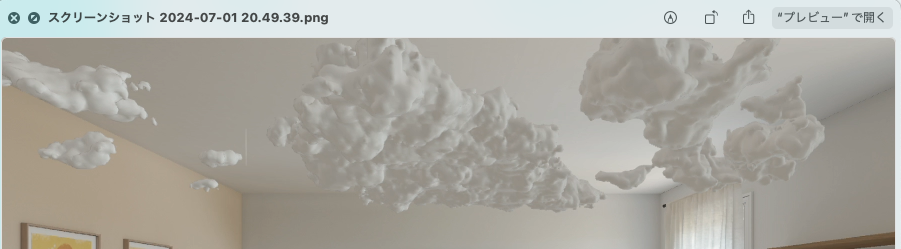
Once the image opens, click the "Open with Preview" button in the top right.
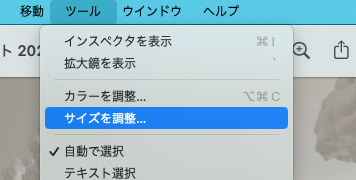
Once it's open, go to Tools > Adjust Size.
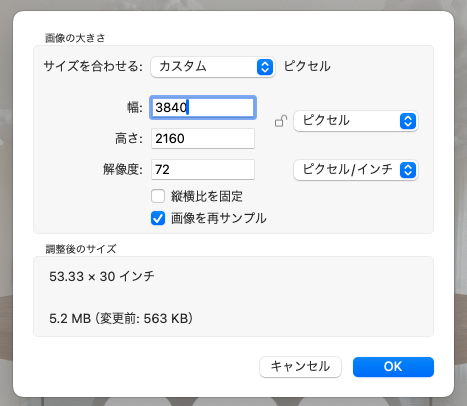
From there, set the width and height to whatever values you like.
Uncheck "Scale proportionally" (lock the aspect ratio off) to adjust them freely.
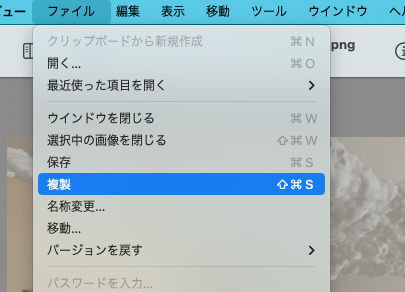
You can just save it as-is, but
if you'd rather keep the original photo,
choose File > Duplicate before saving — that way you'll end up with both the original and the edited version.
And that's it!
Thanks for reading.