
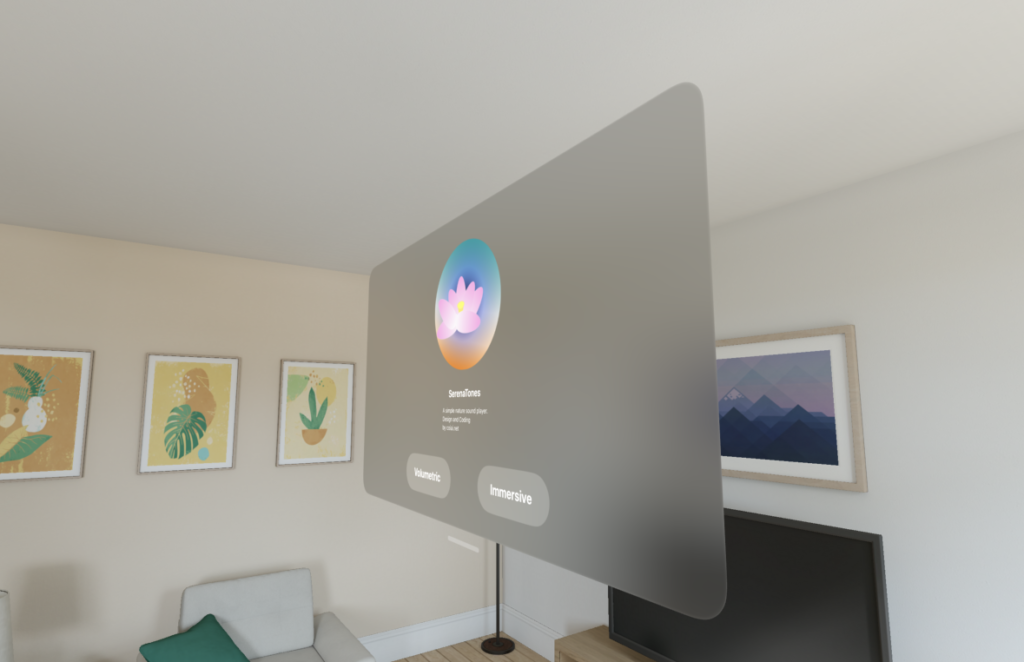
What This Is
This is about how to call up visionOS's AppIcon from inside a View.
Environment
As of 7/5/2024
- VisionOS 1.1
- XCode Version 15.4 (15F31d)
How To
There doesn't seem to be a way to grab the whole thing as a single unit right now,
so the approach below is to fetch each layer separately and stack them with a ZStack.
ZStack {
                Image("AppIcon/Back/Content"  )
                    .resizable()
                    .frame(width: 300, height: 300)
                    .scaledToFit()
                    .clipShape(Circle())

                Image("AppIcon/Middle/Content")
                    .resizable().frame(width: 300, height: 300)
                    .scaledToFit()
                    .clipShape(Circle())

                    .offset(z: 10)
                Image("AppIcon/Front/Content" )
                    .resizable()
                    .frame(width: 300, height: 300)
                    .offset(z: 20).scaledToFit()
                    .clipShape(Circle())
            }
            .padding(.top, 70)
That said, this doesn't give you the shape you'd get if the layers were actually wrapped around a sphere.
If you really want to implement it properly, you're probably better off building the object in separate software and loading it in as a scene.
⚠️ What Didn't Work
Writing it the way shown below didn't work. (If you could get it in spherical form written this way, that would've been amazing...)
Image("AppIcon/AppIcon/Content")

Image("AppIcon")
Reference
https://stackoverflow.com/questions/78153249/how-to-render-a-visionos-icon-in-a-view