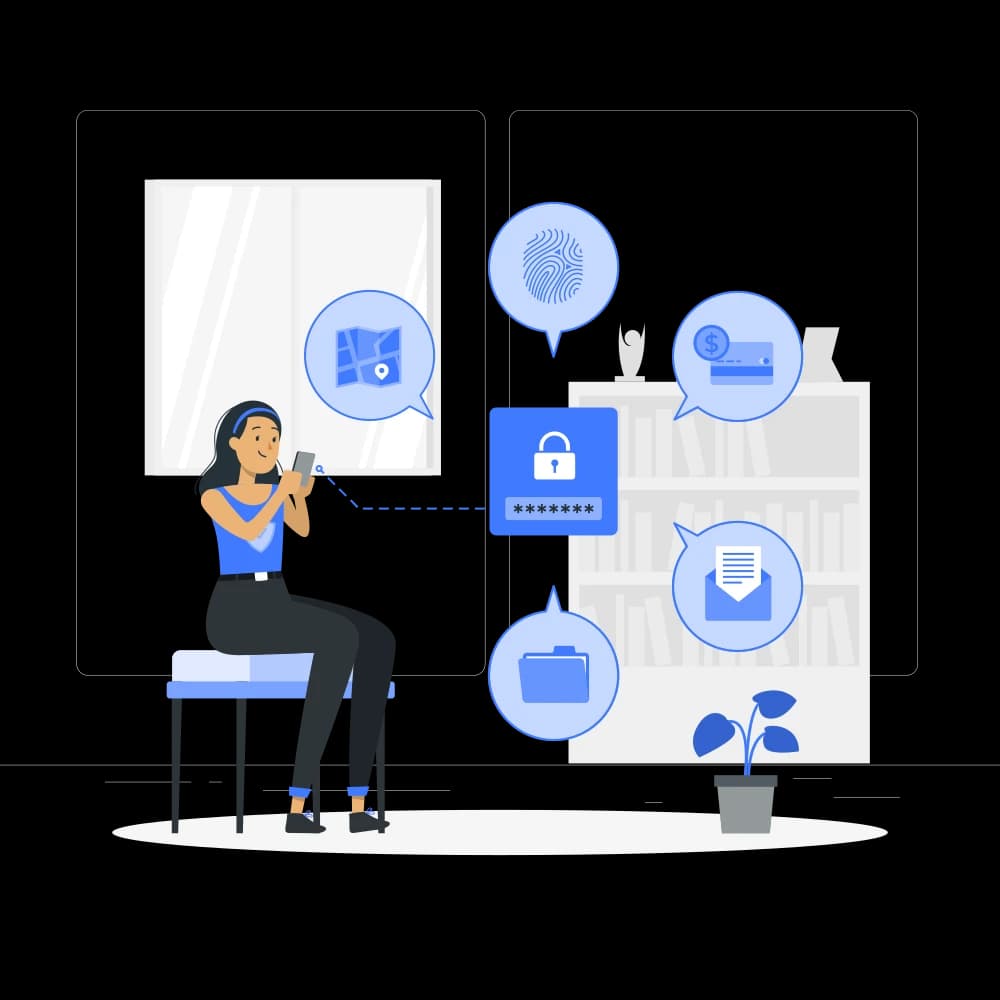
Sensitive documents cannot leave
Contracts, technical records, and internal policies may be restricted from external AI services. We map the data and communication constraints before selecting a local deployment.

On-premise AI development
Private AI needs more than a local model: it needs access controls and a workable operating model. We build local LLM and RAG environments from workflow discovery through validation, training, and everyday use.
Last updated: / Reviewed by: Akira Hattori(Representative Director & CEO / CTO)
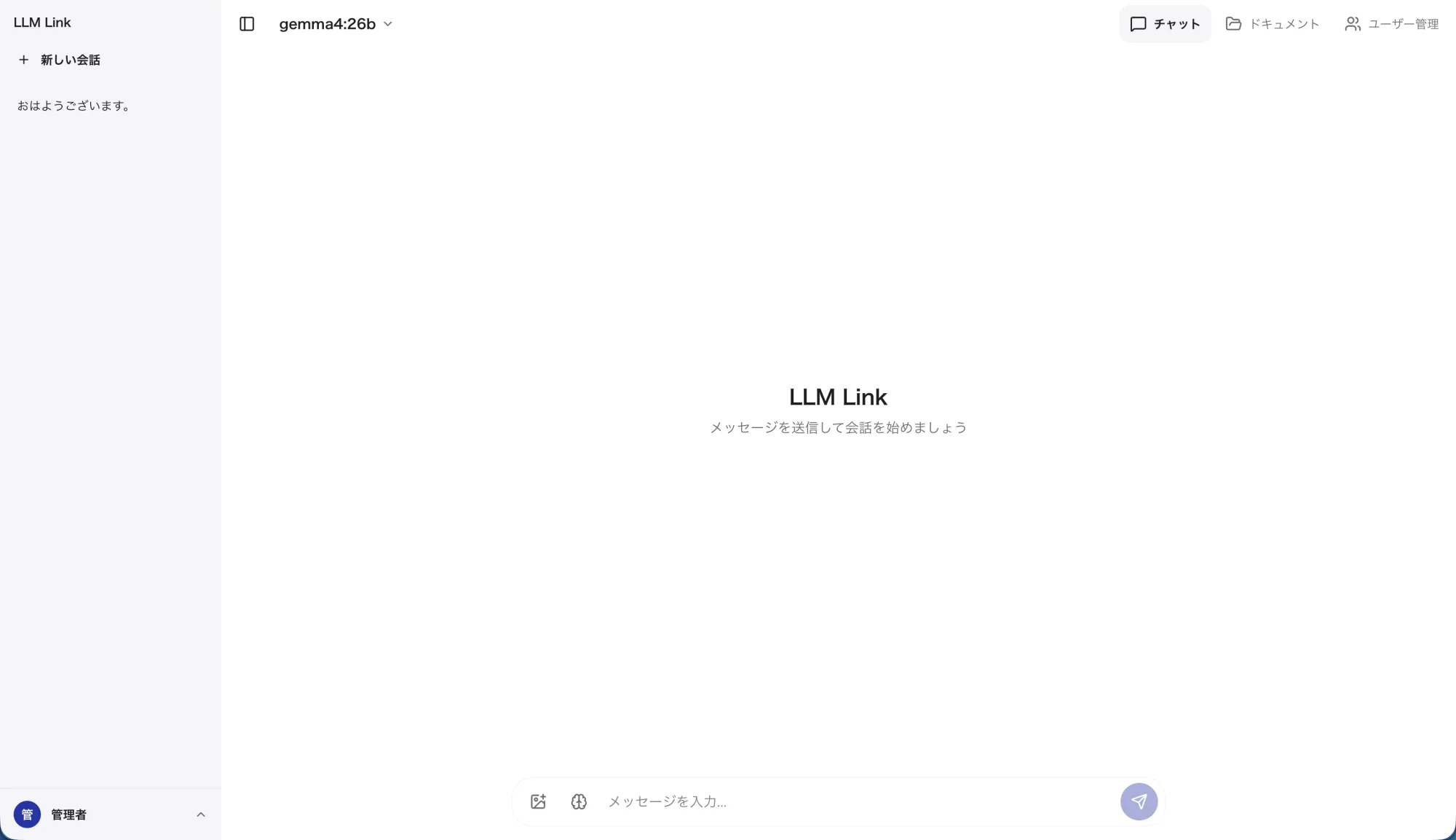
On-premise AI runs a generative AI model (a large language model) on your own servers inside your network, so internal documents and business data are used without being sent to an external AI service. coiai Inc. delivers this with LLM Link, its own AI application, covering workflow discovery, AI server selection, retrieval-augmented generation (RAG) with user and group permissions, validation, staff training, and ongoing support.
01 / PRIVATE AI
Start with the information, people, and workflows involved. A department’s documents or recurring internal questions can provide a concrete starting point for evaluation.
Contracts, technical records, and internal policies may be restricted from external AI services. We map the data and communication constraints before selecting a local deployment.

Manuals and past responses are scattered, so staff repeatedly ask the same experts. We design document retrieval with answers that users can check against source material.

Document updates, access management, and staff education need owners and procedures. We shape the environment around the people who will operate and use it.
02 / PRIVATE AI
We define the scope around your workflows and operational requirements.
Help staff find relevant internal rules and application procedures. Document versions and update dates matter; users should check the original material before acting on an answer.
Provide an entry point to incident reports, inspection records, and work instructions. Evaluate retrieval using the terminology and questions staff actually use.
Help organize long documents and draft internal explanations. Training covers human review of accuracy and confidentiality before generated text is used.
These are potential uses. Outcomes must be evaluated against the actual documents, workflows, and usage patterns.
03 / PRIVATE AI
Private AI design is not only about where the model runs. It defines who may search which documents and how users can verify the basis of an answer.
Example within an internal network: user → access and retrieval → local LLM → answer
Identify the user and their groups when they access the application in a browser.
Index approved documents and filter retrieval to what this user can access.
A local language model uses the retrieved context to help produce an answer.
Check source documents and maintain conversation history, users, and document updates.
RAG retrieves documents as context at answer time; uploading documents does not retrain the model. Routine traffic is reviewed separately from model downloads, updates, and remote support when defining isolated operation.
04 / PRIVATE AI
Manage document and user groups, and apply permissions to retrieval, answers, document lists, and source downloads. Validate behavior using the roles expected in your organization.
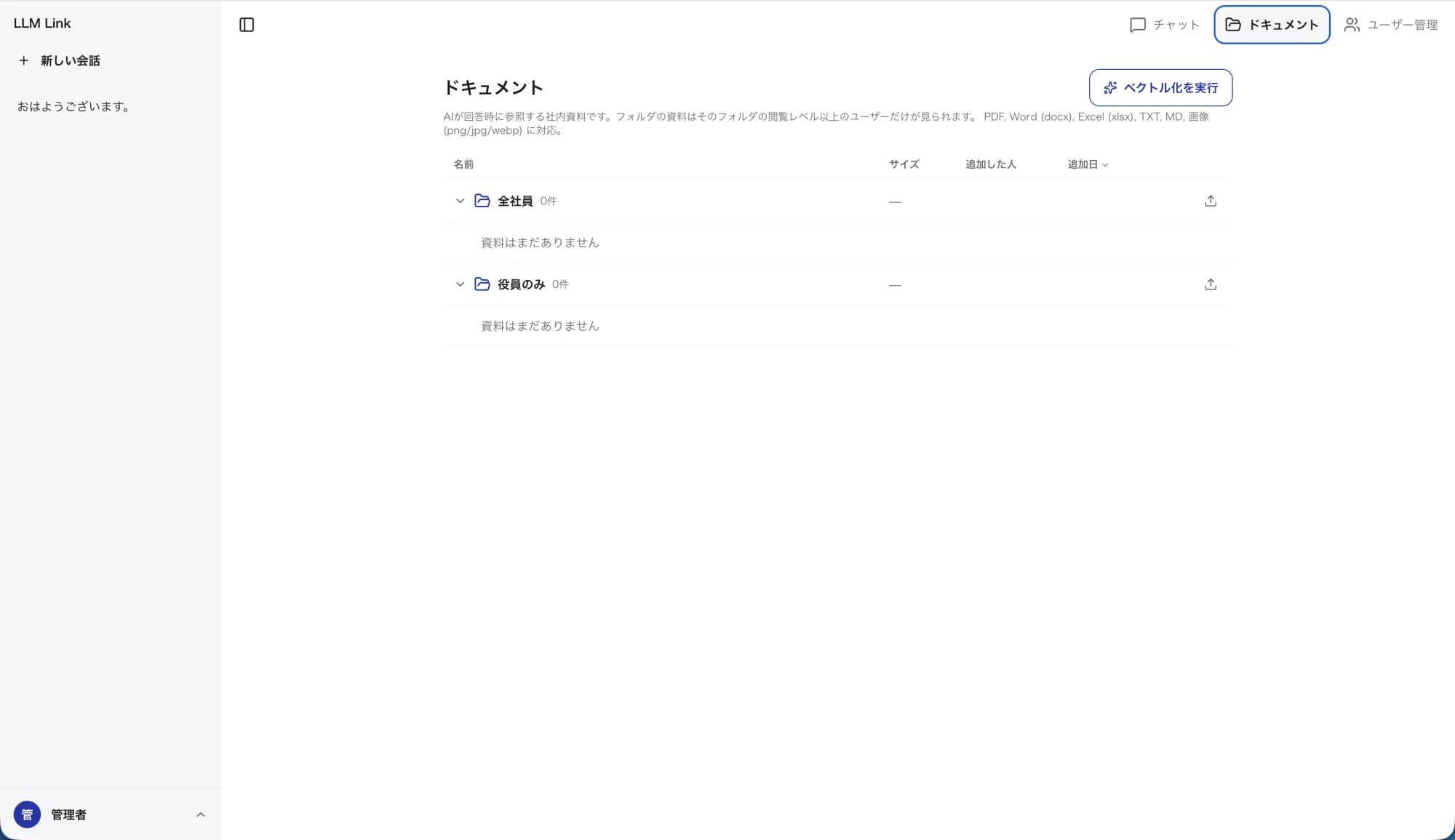
Validate ingestion and retrieval for PDF, Word, Excel, text, Markdown, and images. Complex tables, scan quality, and visual content affect extraction accuracy.
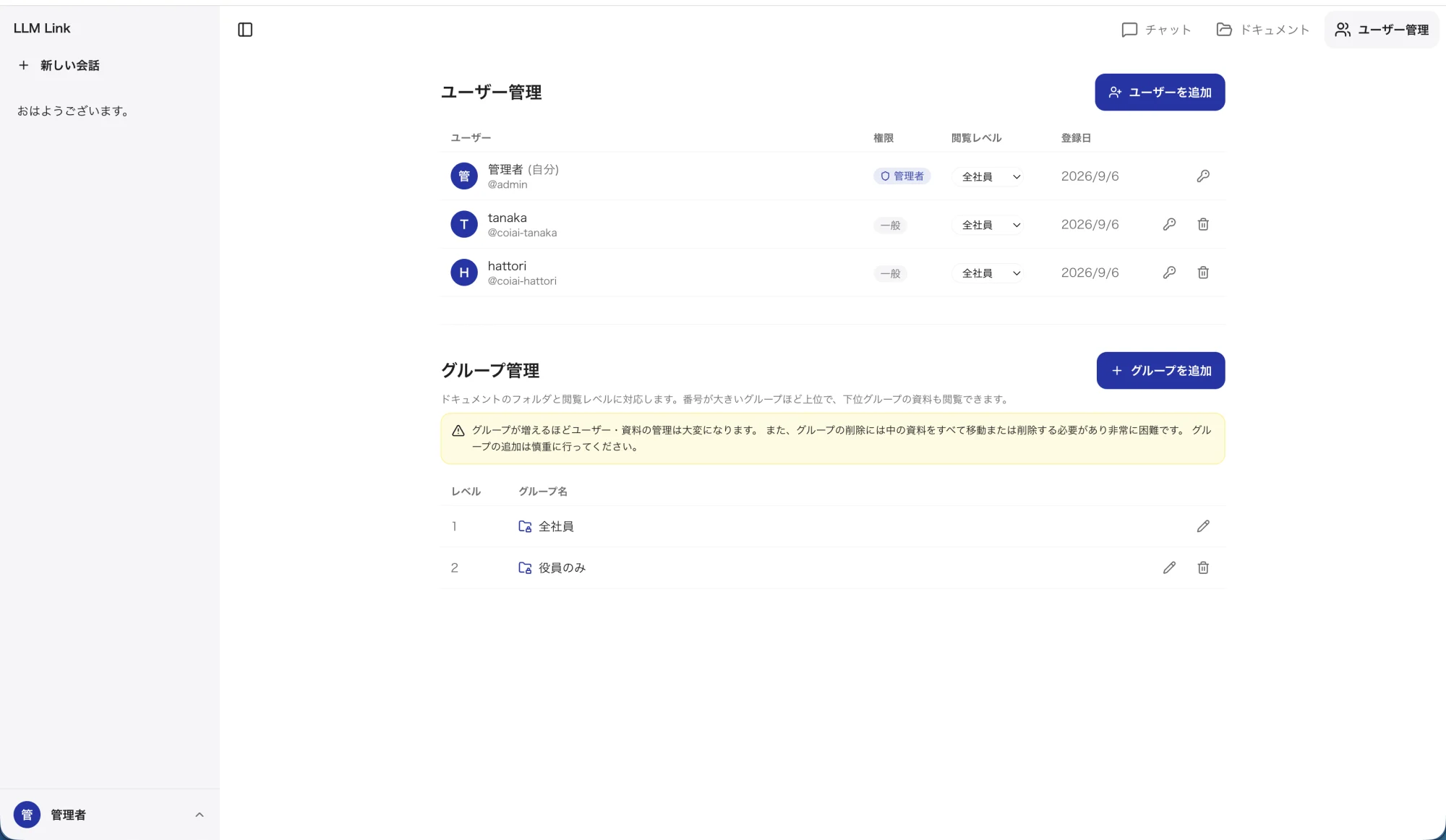
Add users and assign groups in the management interface. Administrators have broad access, so ownership and joiner, mover, and leaver procedures are part of the operating model.
05 / PRIVATE AI
LLM Link also aggregates and visualizes CSV and Excel data. Select files and describe what you need: AI reads column names and types to design metrics, aggregations, and charts, and the server performs the calculations. Report summaries draw on finalized figures and documents the user selects, and are reviewed before sharing.
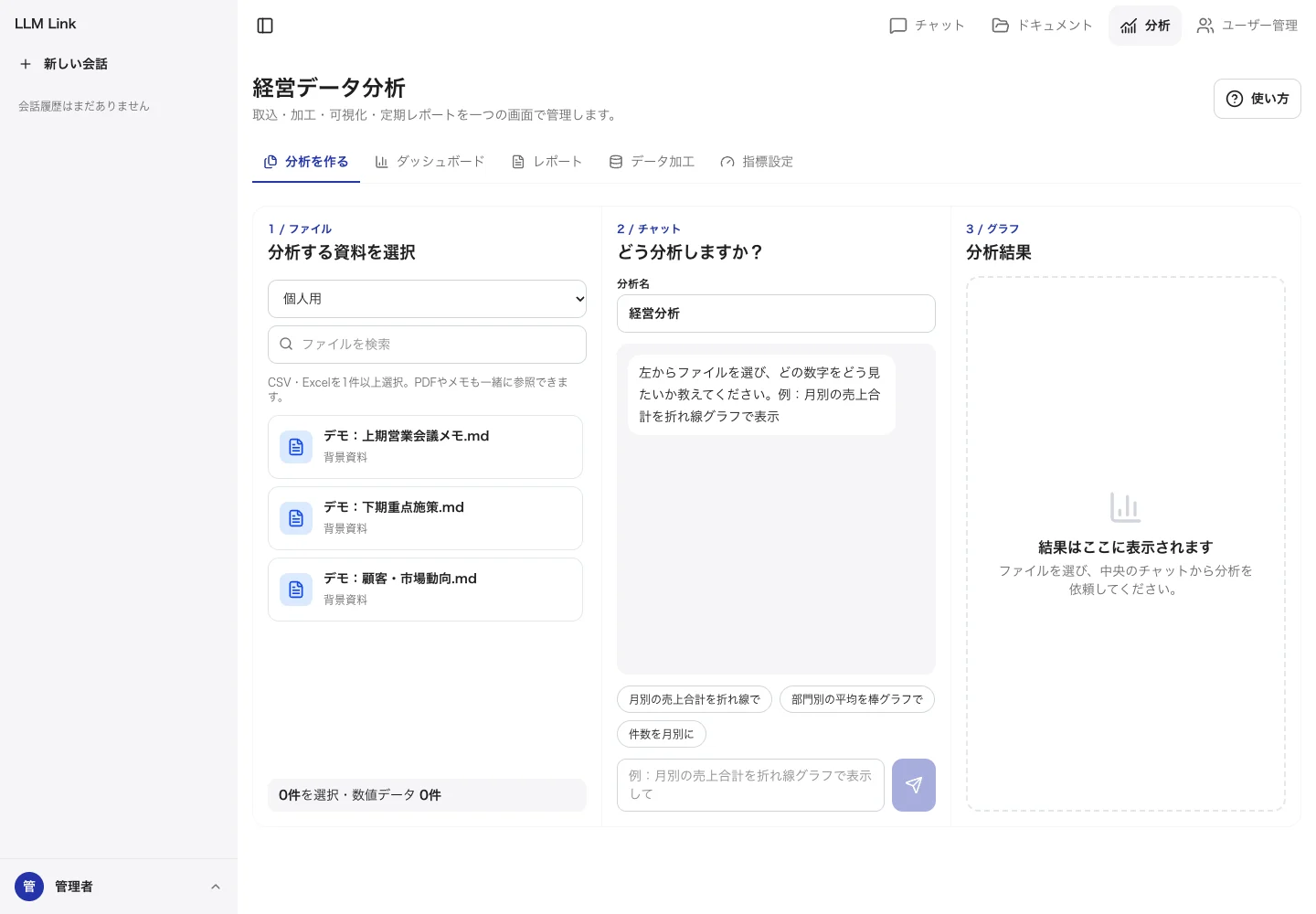
Select CSV or Excel files such as sales lists, payroll, or contract registers and describe the view you need. Saved transformations and metrics can be reused on next month's data.
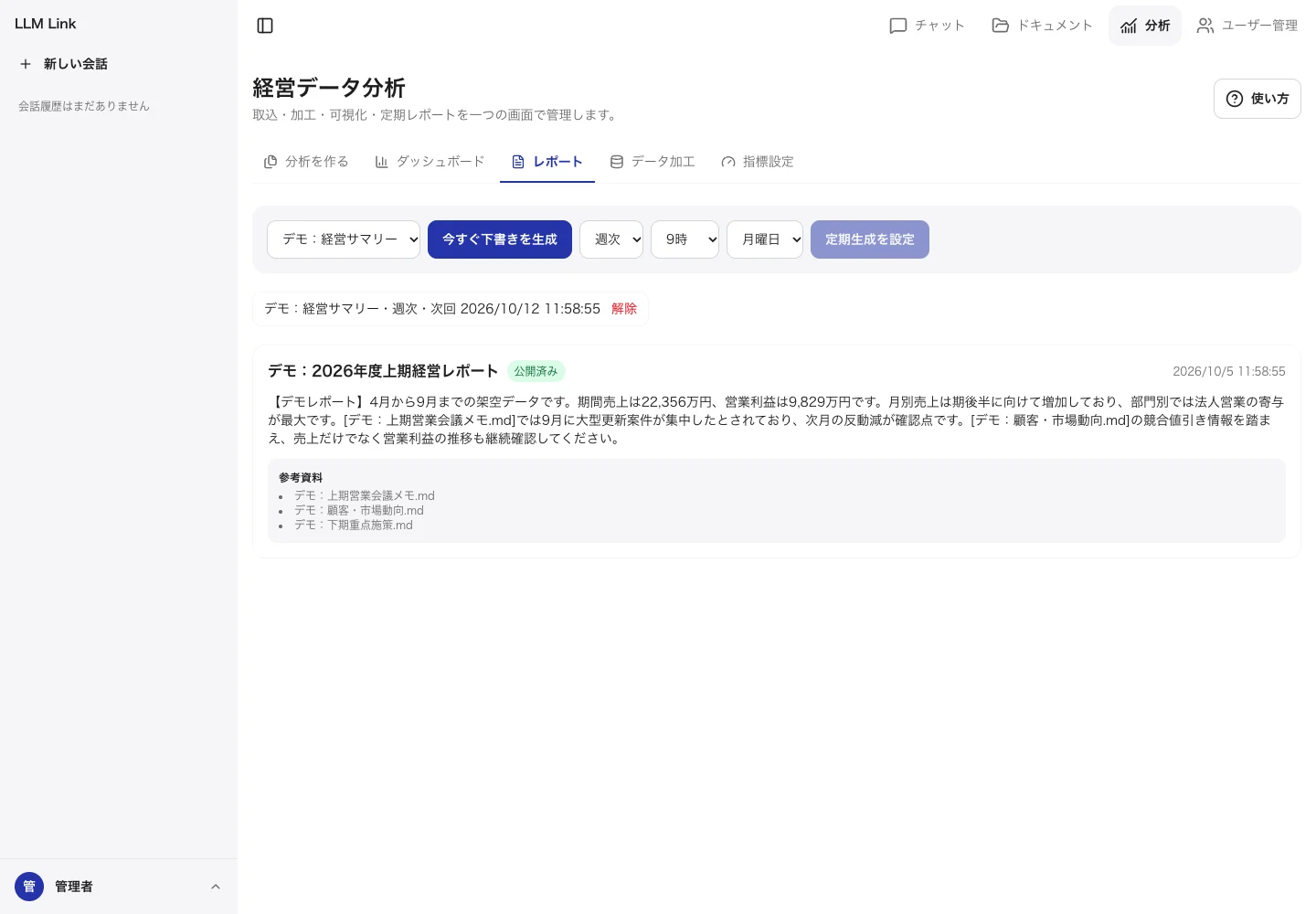
Draft summaries from finalized figures and selected internal documents, with the sources listed. Reports can be scheduled daily, weekly, or monthly.
Screens show fictitious demo data.
06 / PRIVATE AI
Not every workload belongs on premises. Placement should follow confidentiality, update needs, performance, and the operating model for each use case.
| Consideration | Cloud AI | On-premise AI | Hybrid |
|---|---|---|---|
| Data location | Sent to and processed by an external service | Processed inside the organization or designated site | Destination separated by sensitivity |
| Best fit | General information and fast access to newer models | Confidential documents, internal policies, proprietary knowledge | Organizations with both general and sensitive work |
| Performance and scale | Uses the provider's broad compute capacity | Predictable within owned infrastructure | Allocates performance and control by workload |
| Updates and operations | Updates are primarily provider-managed | Updated and monitored under internal policy | Requires rules and connection management for both |
| Cost profile | Typically ongoing usage-based charges | Up-front hardware and delivery plus support | Balances investment and usage fees by workload |
A general comparison; contracts, models, and infrastructure vary. Local deployments have hardware and operational constraints, and do not automatically match cloud model quality or speed.
07 / PRIVATE AI
We do not force a predetermined configuration. We propose a fit-for-purpose environment after reviewing use cases, target data, internal policies, and expected adoption.
We define the scope around your workflows and operational requirements.
Registered users are not simultaneous requests. Document volume, prompt and answer length, and model memory requirements inform GPU, memory, and storage selection.
Prepare representative questions and expected evidence. Evaluate missed retrieval, grounding, time to first response, and completion time separately, recording model, hardware, and concurrency conditions.
Reusing a server depends on its specifications. SSO, internal wikis, and file servers require individual evaluation of interfaces, access mapping, and update frequency.
08 / PRIVATE AI
Anonymous engagement / deployed
We deployed an AI environment for a company in Japan using our LLM Link application, including authentication, group-aware RAG, document management, and separate user conversation histories.
Work included hardware load tests, automatic startup and restart, daily backups with 14 generations retained, and recovery after power restoration. We also built 30 automated tests covering authentication, document permissions, retrieval, and conversation isolation.
Sized for day-to-day use by about 50 people, the system was tested with up to 24 simultaneous requests. With 8 simultaneous users, every response began streaming without a wait. A 10-session training curriculum covers generative AI basics through RAG and in-house development.
The client is not named. Load-test figures come from our own tests on specific hardware with a standard model, responses fixed at 120 tokens, and a local network; actual performance varies with configuration, model, response length, and concurrent use. Time savings and adoption rates have not been measured and are not presented as outcomes.
09 / PRIVATE AI
When a PoC is appropriate, agree on workflows, evaluation questions, success criteria, and scope first. Results should support a decision to proceed, investigate further, or stop.
We examine work, confidential information, users, documents, and the existing environment, then define purpose and evaluation.
Once users and administrators understand AI behavior, we design models, hardware, permissions, networking, and operations.
We implement authentication, ingestion, retrieval, answers, history, and administration, then validate quality and performance with real content.
We train users, hand over administration, and improve supported workflows based on workplace feedback.
Timing depends on document readiness, procurement, integrations, and internal reviews. The proposal defines scope and schedule for each stage.
10 / PRIVATE AI
We define the scope around your workflows and operational requirements.
Assign owners for document updates, re-indexing checks, access changes, and log retention. Document the procedures so the environment remains maintainable after deployment.
Define backup scope, frequency, retention, copy destinations, and restoration checks. Agree monitoring, escalation, support hours, and maintenance responsibilities.
Recheck quality and permissions against representative questions after updates. Teach limitations, source verification, and appropriate inputs; use staff feedback to prioritize improvements.
11 / PRIVATE AI
Pricing for a standard deployment with LLM Link. Software, implementation, support, and hardware are priced separately. The software is sold at list price without discounts.
| Item | Price (excl. tax) | Price (incl. 10% tax) | Scope |
|---|---|---|---|
| LLM Link software | JPY 650,000 (one-time) | JPY 715,000 | One company, one environment, unlimited user accounts. Includes permission-aware document-search chat, data import and transformation, metrics, dashboards, AI-assisted analysis design, AI reports, and permissions |
| Setup, manuals, and training | JPY 700,000 per deployment | JPY 770,000 | Installation and permissions, import of existing data with saved transformations, initial AI configuration, training materials and two sessions, operations manual |
| Support | JPY 130,000 per year | JPY 143,000 | Enquiries (weekdays 10:00–18:00), defect investigation and fixes, update installation. Delivered remotely |
| AI server (hardware) | Quoted separately (approx. JPY 1,000,000) | — | Reference standard configuration for day-to-day use by an organization of about 50 people. Selected to match usage and concurrency |
Prices as of 9 October 2026. Discovery or PoC work, integrations, custom development, on-site work, and travel are not included and are quoted separately against agreed scope.
12 / PRIVATE AI
Processing happens on your AI server, so adding users does not add cloud charges. Concurrent capacity depends on the hardware configuration, not on the number of accounts.
The price assumes shared product development costs across multiple deployments, and sits at a similar level to one-time licences for on-premise BI products in Japan.
Software, implementation, support, and hardware are listed separately. Implementation and support are priced from hourly rates and estimated hours.
13 / PRIVATE AI
LLM Link focuses on searching internal documents and analysing internal data. The main differences are the pricing model and where data is processed.
| Item | LLM Link | Microsoft 365 Copilot | Power BI + Copilot |
|---|---|---|---|
| Pricing model | One-time software licence plus annual support. Unlimited accounts | JPY 3,148 per user per month (annual). Requires an eligible Microsoft 365 licence | Power BI Pro JPY 2,098 per user per month (annual). Copilot requires a Fabric capacity (F2 or above) |
| Where data is processed | Your AI server, inside your company | Microsoft cloud | Microsoft cloud |
| AI usage and cost | No charge per use. Capacity depends on hardware | Per-user subscription | Consumes Fabric capacity units |
| Strengths | Internal document search, data analysis, and reports | Broad productivity across Word, Excel, Teams, and more | Large-scale BI and data platforms |
Third-party prices are published list prices (excl. tax) checked on 9 October 2026. Features and terms differ; confirm current prices with each vendor.
14 / PRIVATE AI
LLM Link costs the same regardless of headcount. At 30 users or more, its three-year total is lower than Microsoft 365 Copilot.
| Users | LLM Link (3 years) | Microsoft 365 Copilot (3 years) | Difference |
|---|---|---|---|
| 20 | JPY 2,740,000 | JPY 2,266,560 | Copilot lower by JPY 473,440 |
| 30 | JPY 2,740,000 | JPY 3,399,840 | LLM Link lower by JPY 659,840 |
| 50 | JPY 2,740,000 | JPY 5,666,400 | LLM Link lower by JPY 2,926,400 |
All figures exclude tax. LLM Link totals software JPY 650,000, setup and training JPY 700,000, support JPY 130,000 × 3 years, and an AI server of approx. JPY 1,000,000. Microsoft 365 Copilot is JPY 3,148 per user per month (annual) × users × 36 months, excluding the required Microsoft 365 licence. Hardware cost varies by configuration, and heavier concurrent use may require a different configuration.
15 / PRIVATE AI
It means running a generative AI model on servers inside your own network. Questions and internal documents are processed without being sent to an external AI service, which suits confidential work, but your organization takes on hardware, model updates, and operations.
A standard LLM Link deployment is software JPY 650,000 (one-time), setup and training JPY 700,000, support JPY 130,000 per year, and an AI server of approx. JPY 1,000,000, all excluding tax. There is no per-account charge. Discovery, PoC, and integrations are quoted separately.
We assess whether existing equipment can be used and recommend an architecture for the intended use and adoption level. We can also help select new hardware when needed.
Routine use can be designed to stay within your environment. Full isolation also requires review of model transfer, updates, software dependencies, and support procedures.
No. Document quality, retrieval, and model interpretation can all introduce errors. We evaluate real questions and define how to handle uncertainty and human verification.
User and document groups control retrieval, answers, lists, and source downloads. Validation covers expected roles, operational settings, and administrator privileges.
Model and software updates, new documents, and configuration changes are handled within an agreed support scope. Update procedures for closed networks are designed separately.
Yes. We propose hybrid configurations — on-premise for confidential data, cloud AI for general tasks.
Cost varies with the intended use, target data, existing environment, integrations, and post-launch support. We review these conditions and propose an appropriately sized environment and estimate.
Yes. We identify the relevant workflows and who can own equipment, documents, and access, then include appropriate education and support in the proposal.
No. LLM Link has unlimited user accounts. Concurrent AI capacity depends on the hardware, so the AI server is sized to your usage.
Support, including update installation, is delivered remotely. Any on-site work is quoted separately.
Yes. LLM Link is registered as an eligible IT tool under Japan's Digitalization and AI Adoption Subsidy for SMEs, and coiai is a registered IT implementation support provider that assists with the application. Eligible costs, subsidy rates, and caps depend on the application category and your business, and approval is subject to review. Costs contracted or paid before the grant decision are not eligible, so please contact us before signing.
Explore our columns on business systems and our blog on development and AI.
Business system columns →Business systems organize operational data; AI helps people use it. We can scope their roles and any necessary integration together.
Explore core systems →LET’S TALK
Tell us what is difficult today and what you want to make possible. We can start by clarifying the scope, constraints, and practical next steps together.
Enquiry → review and reply → discovery conversation → proposed next steps. Research and development costs are proposed after clarifying the scope.