
❓ What Is This
This is a rundown of the ip addr command on Ubuntu.
ip addr is the command used on Linux to check IP address information.
As a beginner, I found it hard to tell what everything meant,
so I put this together as a quick memo and cheat sheet.
If you spot any mistakes, I'll correct them. Sorry for the trouble, but please leave a comment if you notice something.
The blue-background sections are supplementary notes — feel free to skip them.
✒️ Explanation
Running the ip addr command
displays every network interface on the system
along with its detailed IP address information.
ip addrThe output looks something like this (example):
1: lo: <LOOPBACK,UP,LOWER_UP> mtu 65536 qdisc noqueue state UNKNOWN group default qlen 1000
    link/loopback 00:00:00:00:00:00 brd 00:00:00:00:00:00
    inet 127.0.0.1/8 scope host lo
       valid_lft forever preferred_lft forever
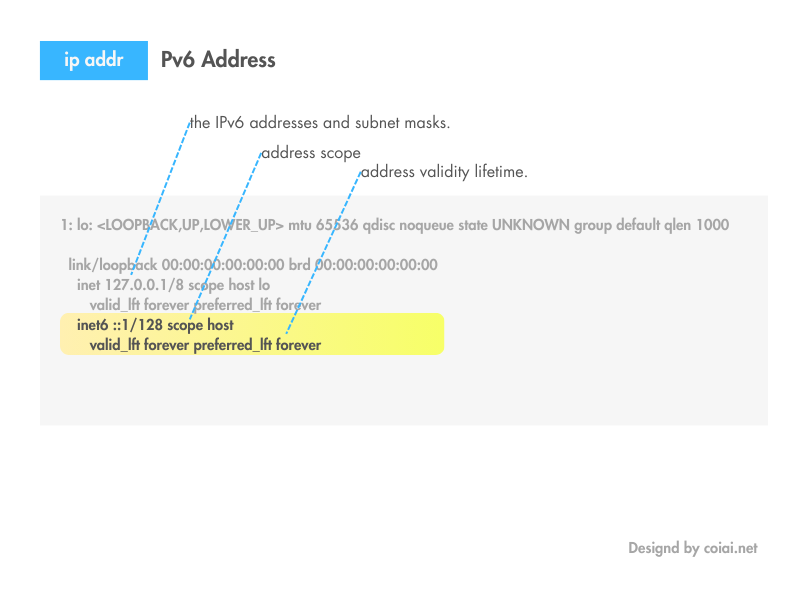
    inet6 ::1/128 scope host
       valid_lft forever preferred_lft forever
2: eth0: <BROADCAST,MULTICAST,UP,LOWER_UP> mtu 1500 qdisc fq_codel state UP group default qlen 1000
    link/ether 01:23:45:67:89:ab brd ff:ff:ff:ff:ff:ff
    inet 192.168.1.2/24 brd 192.168.1.255 scope global dynamic eth0
       valid_lft 86397sec preferred_lft 86397sec
    inet6 fe80::1234:5678:9abc:def0/64 scope link
       valid_lft forever preferred_lft forever
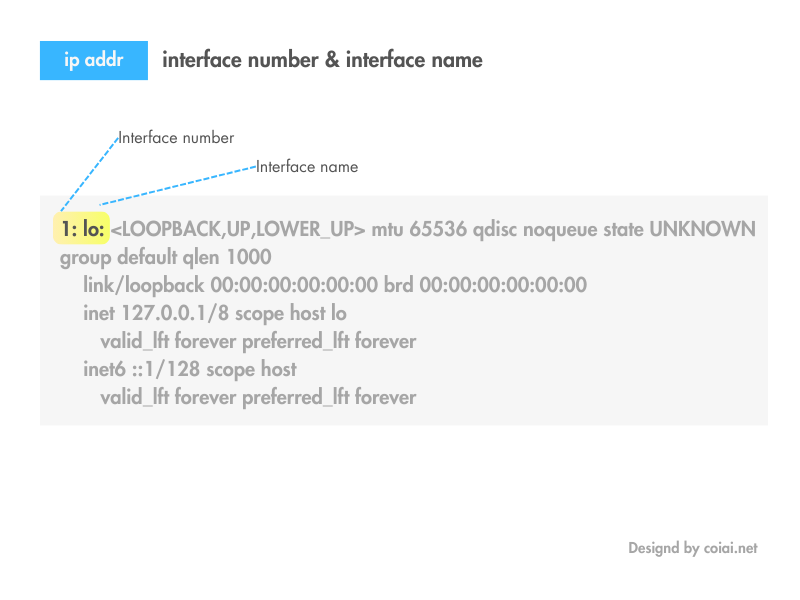
Interface Number and Name
Entries like 1: lo and 2: eth0 show the identifier and name of each network interface.
lo represents the loopback interface, and normally has the IP address 127.0.0.1.
The loopback interface is a virtual network interface that points back to the machine itself. 127.0.0.1 is also known as localhost.
eth0 indicates a standard Ethernet interface (wired LAN).
When you see something like enp3s0 or wlp2s0
- en: an Ethernet (wired) interface.
- wl: a Wireless LAN (wireless) interface.
The letters and numbers that follow indicate the interface's physical location.
- p3: indicates it's connected to PCIe slot 3 (if you've ever built your own PC, this will make sense).
- s0: indicates the device's first function (function 0).
🐏 PCI Devices and Functions
A PCI device can have multiple functions on a single physical card.
For example, if one PCI card provides both a network interface and a storage controller, that card has multiple functions.
Each function is identified as follows:
- Function 0: the first function — the device's primary function.
- Function 1: the second function — the device's second function.
- And so on, up to Function 7 at most.
Interface State
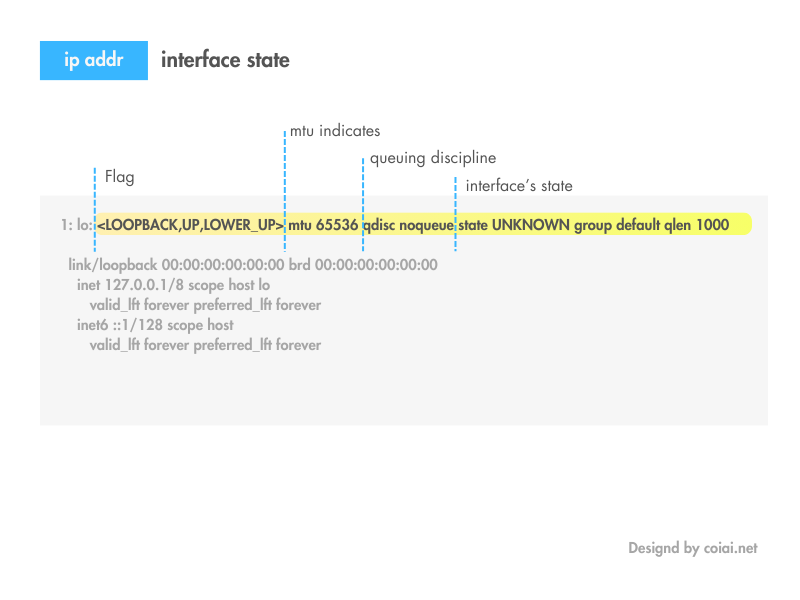
<LOOPBACK,UP,LOWER_UP> and <BROADCAST,MULTICAST,UP,LOWER_UP> show the interface's flags. For example, UP means the interface is active.
mtu shows the interface's maximum transmission unit — the largest size a network packet can be.
😞 Apparently 1500 corresponds to roughly 1Gbps. mtu isn't the same thing as transfer speed though, so it's a bit tricky to wrap your head around.
qdisc shows the queuing discipline.
state shows the interface's status (such as UP or UNKNOWN).
Link-Layer Address
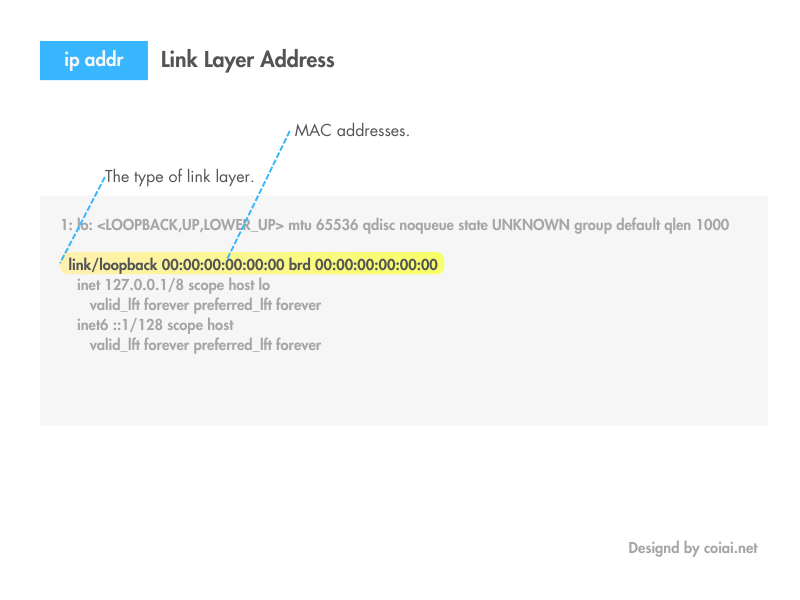
link/loopback and link/ether indicate the type of link layer.
00:00:00:00:00:00 and 01:23:45:67:89:ab are MAC addresses.
IPv4 Address
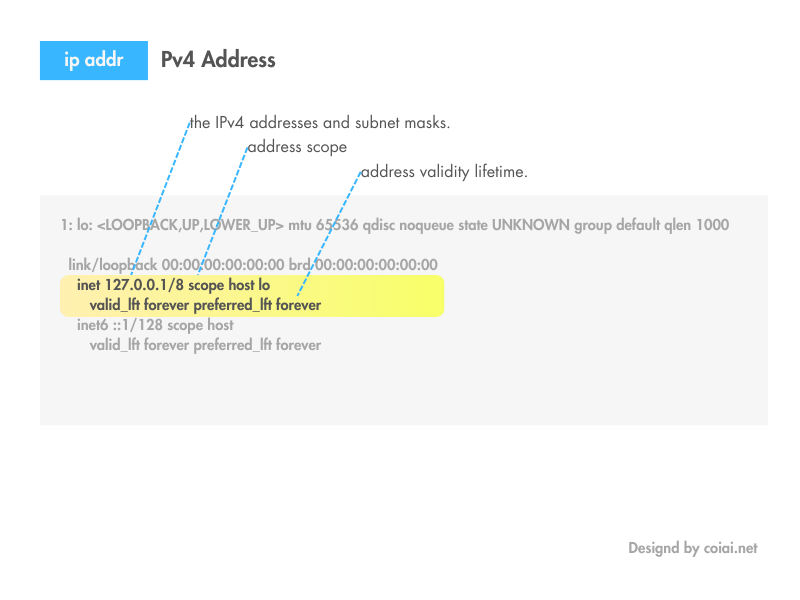
inet 127.0.0.1/8 and inet 192.168.1.2/24 show the IPv4 address and its subnet mask.
scope shows the address scope, such as host or global.
valid_lft and preferred_lft show the address's expiration times.
valid_lft (Valid Lifetime) and preferred_lft (Preferred Lifetime) are parameters used to manage how long an IP address stays valid.
Valid Lifetime
- Definition: valid_lft shows the period during which an IP address remains valid. Once this period ends, the address is considered invalid and can no longer be used.
- Use: this parameter is used for automatic address management and renewal — for example, with DHCP or IPv6 stateless address autoconfiguration (SLAAC).
Preferred Lifetime
- Definition: preferred_lft shows the period during which the address is preferred. During this period, the address is used as the "preferred address." Even after the preferred lifetime ends, the address can still be used as long as valid_lft hasn't expired, but it's then treated as a "deprecated address."
- Use: new connections and sessions use the preferred address, while existing connections keep using the deprecated address. This lets address renewal and reassignment happen smoothly.
IPv6 Address
inet6 ::1/128 and inet6 fe80::1234:5678:9abc:def0/64 show the IPv6 address and its prefix length.
Viewing Info for a Specific Interface
You can view it with the code below.
These options are also commonly used.
- ip addr show up: shows only active interfaces.
- ip -4 addr: shows only IPv4 addresses.
- ip -6 addr: shows only IPv6 addresses.
ip addr show eth0References
how find your IP address in Linux
https://opensource.com/article/18/5/how-find-ip-address-linux