
❓ What is this
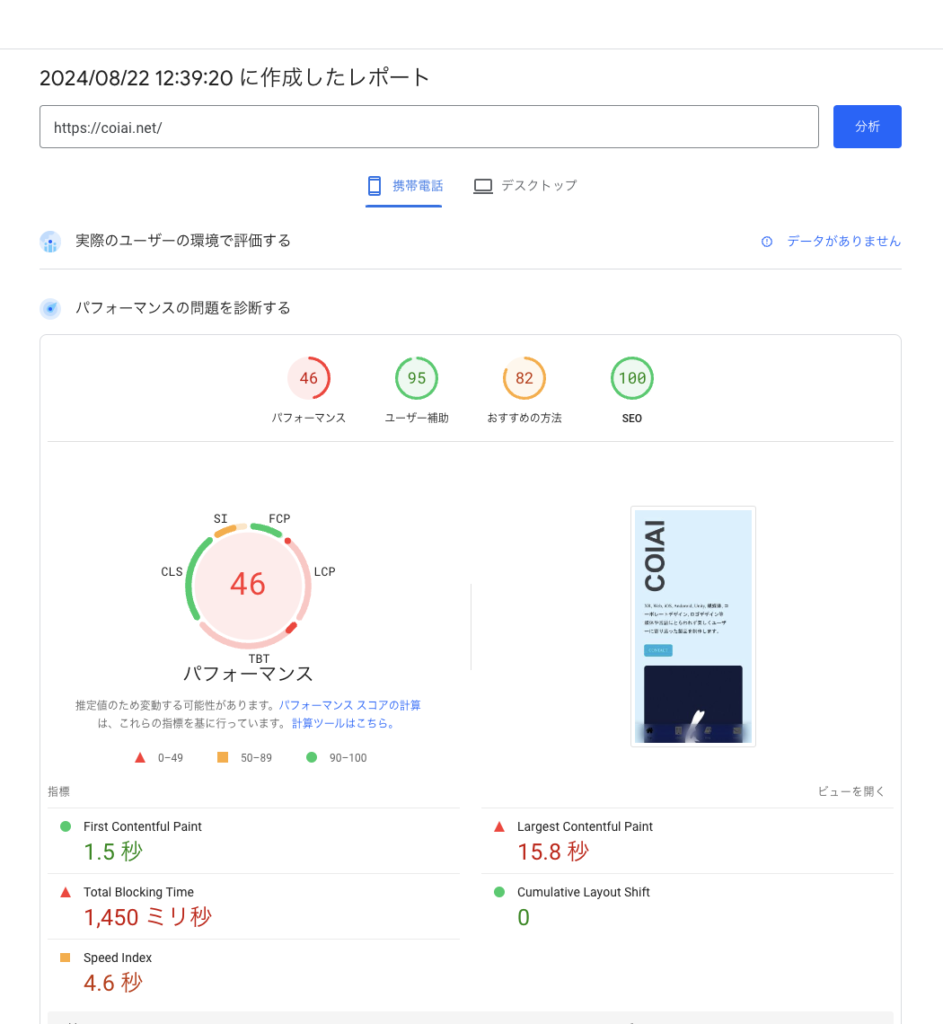
First, let's check your site's speed.
Try Google's official site speed checker
https://pagespeed.web.dev
Enter your site's URL and you should get a set of results.
This time, as one way to improve those results, I'll introduce Performance Lab, which helps you optimize your images.
Installing Performance Lab
Just switching your image file format from JPEG or PNG to WebP
can reduce file sizes.
WebP compresses more efficiently than JPEG. At the same image quality, a WebP file will be lighter than a JPEG one.
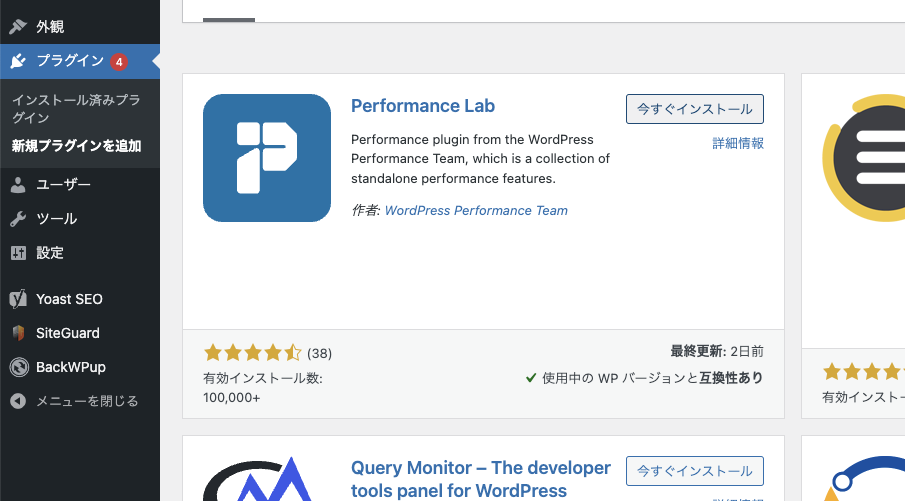
Here, let's install a plugin called "Performance Lab" on WordPress.
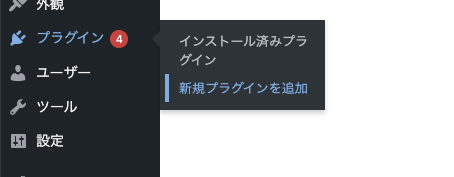
To add the plugin, go to the left sidebar,
Plugins / Add New Plugin,
search for Performance Lab, then install and activate it. That's all you need.
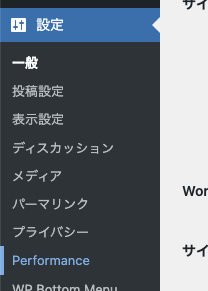
Once the plugin is activated,
a Performance item is added under the Settings tab.
Select that.
Opening it, you should see a set of options like the ones below. Let's enable them!!
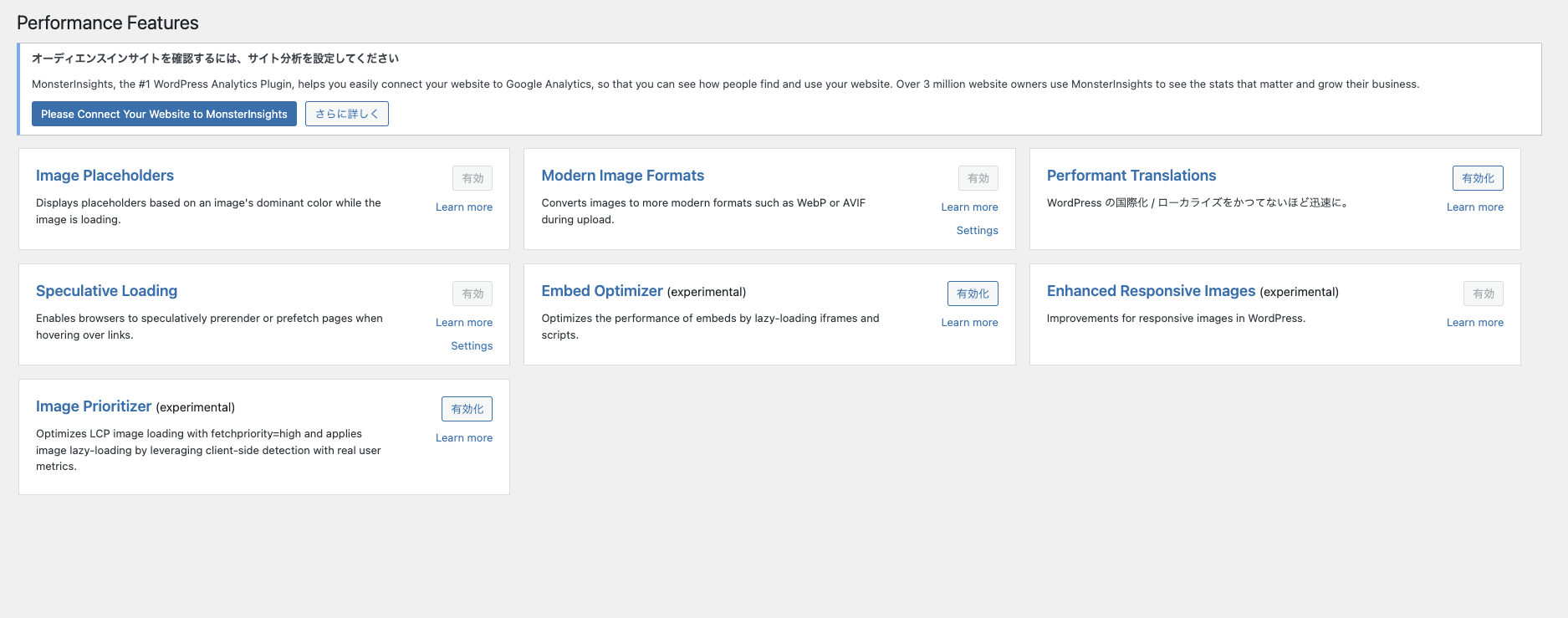
How to configure it
Performance Lab has the following settings items.
Here's an explanation of each one.
Personally, I think it's fine to enable everything except Performant Translations.
- Image Placeholders
- Modern Image Formats
- Performant Translations
- Speculative Loading
- Embed Optimizer (experimental)
- Enhanced Responsive Images (experimental)
- Image Prioritizer (experimental)
Image Placeholders
This determines and stores the dominant color of newly uploaded images in the WordPress media library,
and uses it to create a color placeholder background on the frontend that's shown until the image loads.
Modern Image Formats
This makes images support WebP or AVIF format when you upload them in WordPress.
If your hosting server supports AVIF, an AVIF version is created automatically; if not, it falls back to WebP.
If it supports both, you can choose which format to use under "Settings" > "Media."
These formats are only applied to newly uploaded images.
For existing images, you can also use the Regenerate Thumbnails plugin.
Since wp-cli lets everyone do it themselves, I ran it via wp-cli.
wp media regenerateI explained how to install wp-cli in this article.
Performant Translations
This is built into core as of WordPress 6.5 and later, so you shouldn't need to enable it separately!
This is a feature for multilingual support.
Speculative Loading
This lets you dynamically prefetch or prerender specific URLs based on user interaction.
By default, it's configured to prerender a WordPress frontend URL when a user hovers their mouse over a link, but you can customize this under "Settings" > "Reading" > "Speculative Loading."
Embed Optimizer
This is built to optimize the performance of embedded content like YouTube videos and TikTok. Specifically, it lazy-loads embeds so they only load once they appear on screen, improving performance by avoiding contention with other resources while the page loads. More optimizations are planned for the future.
This plugin also recommends installing and activating the "Optimization Detective" plugin. When that plugin is active, embeds that appear near the top of the screen are recorded based on visitor behavior, and lazy loading is not applied to those embeds — since lazy loading introduces delay that can hurt the user experience and the page's LCP score.
Additionally, when Optimization Detective is active, preconnect links are added for the network resources needed by popular embedded content (YouTube, Twitter, Vimeo, Spotify, VideoPress, etc.), which speeds up loading.
This plugin has no settings or user interface — it's designed to work simply by installing it.
Enhanced Responsive Images
This experimentally enhances WordPress's responsive image feature. It currently provides the following:
1. Uses the theme's layout information to improve the accuracy of the sizes attribute.
2. Implements the new HTML spec that adds sizes=”auto” to lazy-loaded images.
This plugin also works together with the "Image Prioritizer" plugin. Once that plugin is enabled, it learns, based on real visitor data, which images sit below the fold (off-screen), and automatically adds loading=”lazy” to them. This plugin then also adds sizes=”auto” to those images, further improving lazy-loading performance.
This plugin has no settings or user interface — it's designed to work automatically just by installing it.
Embed Optimizer
This optimizes the loading of images that make up the Largest Contentful Paint (LCP) element, which affects page display speed. LCP elements include <img> tag images and CSS background images. Since a theme's responsive design can have different LCP elements at different screen sizes (breakpoints), preload links are added to identify and prioritize the LCP image for each breakpoint.