What is this?
I edited the CSS for Contact Form 7, WordPress's go-to plugin for contact forms.
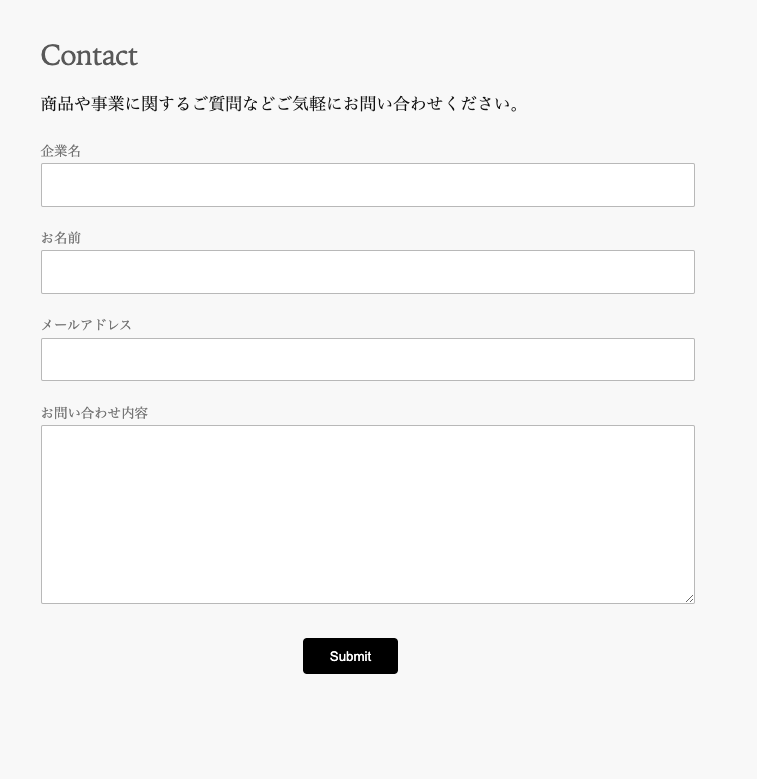
Once implemented, it looks like this.
How to apply styles to Contact Form 7
Add Contact Form 7 as a new plugin.
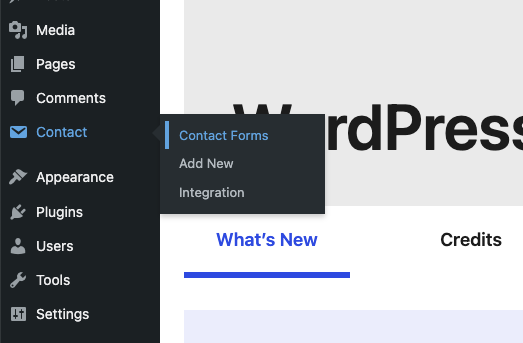
Once you install and activate it, you should see a new "Contact" item in the left sidebar — click it.
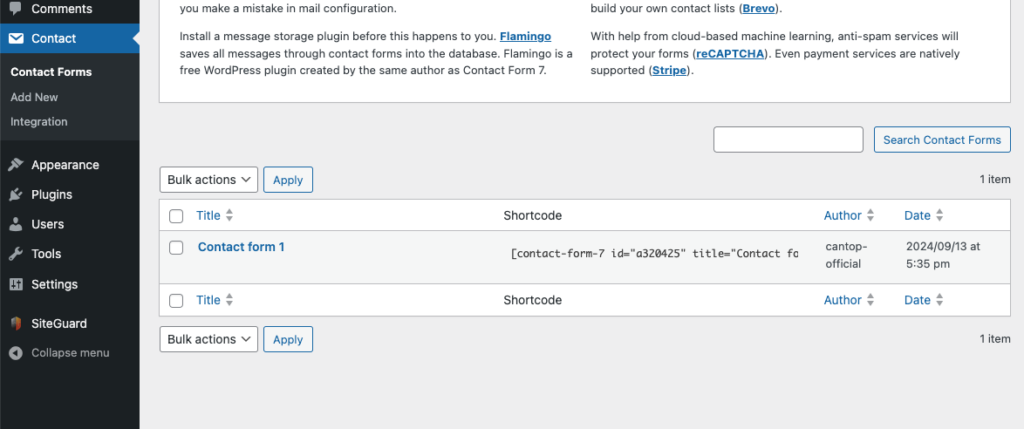
When it opens, you should see a form that's already been added.
Go ahead and open it.
Once it's open, you'll be in the edit screen — paste in the code below (copy-paste is fine).
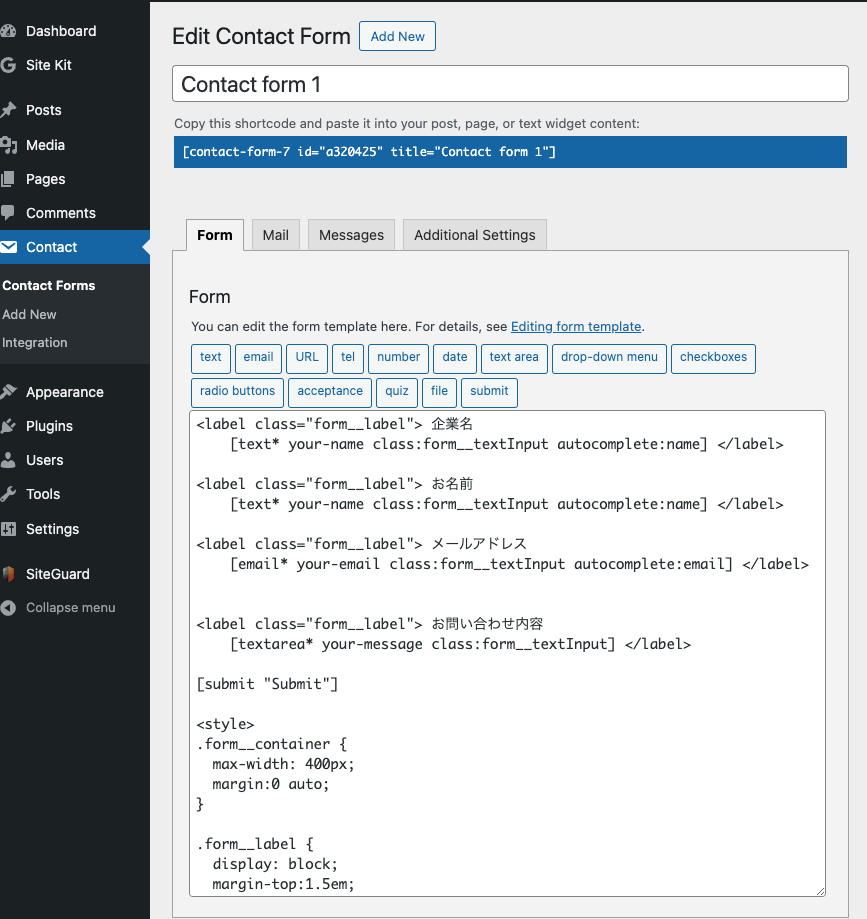
I based the class names and elements in this code on Contact Form 7's official site.
I tried to style it while disturbing the default install state as little as possible.
<label class="form__label"> 企業名
    [text* your-name class:form__textInput autocomplete:name] </label>

<label class="form__label"> お名前
    [text* your-name class:form__textInput autocomplete:name] </label>

<label class="form__label"> メールアドレス
    [email* your-email class:form__textInput autocomplete:email] </label>


<label class="form__label"> お問い合わせ内容
    [textarea* your-message class:form__textInput] </label>

[submit "Submit"]

<style>
.form__container {
  max-width: 400px;
  margin:0 auto;
}

.form__label {
  display: block;
  margin-top:1.5em;
  color: gray;
  font-size: 0.8em;
}


.form__textInput {
  width: calc(100% - 2.4em);
  border: 1px #c0c0c0 solid;
  border-radius: 2px;
  padding: 1em 1.2em;
  color: 1e1e1f;
}

.form__textInput:focus {
  transition: .3s ease-out;
  outline: 1px skyblue solid;
}

.wpcf7-submit {
  display: block;
  color: white;
  background-color: black;
  padding: 0.8em 2em;
  border-radius: 4px;
  margin: 2em auto;
  border: none;
}

.wpcf7-submit:active {
  background-color: rgb(95, 95, 95);
  /* This style is created by https://coiai.boy.jp */
}
</style>
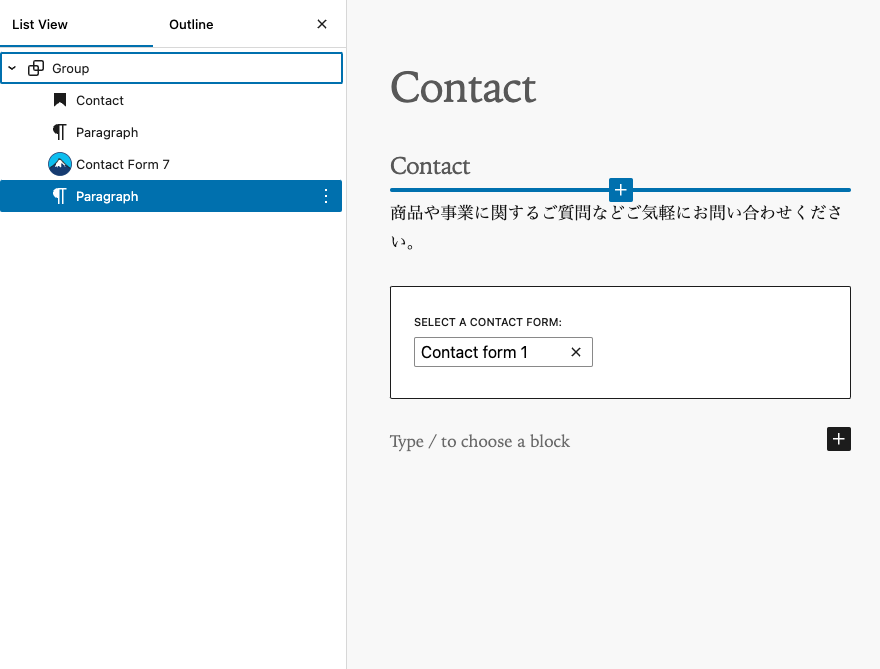
Once you've finished filling in the form, go to a static page and add it there.
Here's roughly how it looks once added.
I tried to keep the code itself free of extra clutter — no title, background color settings, or size restrictions. Adapt it to fit your own environment as needed.