
⚠️ This post is a dud. It doesn't actually solve anything. Sorry about that.
I wrote code like the following and attached it to a game object.
using System.Collections;
using System.Collections.Generic;
using UnityEngine;

public class RotateObject : MonoBehaviour
{
    public float rotationSpeed = 100f; // 回転速度

    private Vector3 lastMousePosition; // 前回のマウス位置

    void Update()
    {
        if (Input.GetMouseButtonDown(0)) // マウス左クリック開始時
        {
            lastMousePosition = Input.mousePosition;
        }
        else if (Input.GetMouseButton(0)) // マウスをドラッグ中
        {
            Vector3 delta = Input.mousePosition - lastMousePosition; // マウス移動量
            float deltaX = delta.x * rotationSpeed * Time.deltaTime; // X方向の回転量
            float deltaY = delta.y * rotationSpeed * Time.deltaTime; // Y方向の回転量

            // オブジェクトを回転
            transform.Rotate(Vector3.up, -deltaX, Space.World);  // 水平方向の回転
            transform.Rotate(Vector3.right, deltaY, Space.World); // 垂直方向の回転

            lastMousePosition = Input.mousePosition; // マウス位置を更新
        }
    }
}
As you can see in the video above, the rotation pivot is off, which makes it awkward to use 😭
Cause and Fix
This shoe model was one I'd modeled myself in Blender.
First, I checked whether the rotation origin was off.
To check this, click the Pivot/Center toggle button at the top of Unity's Scene view and switch it to Pivot.
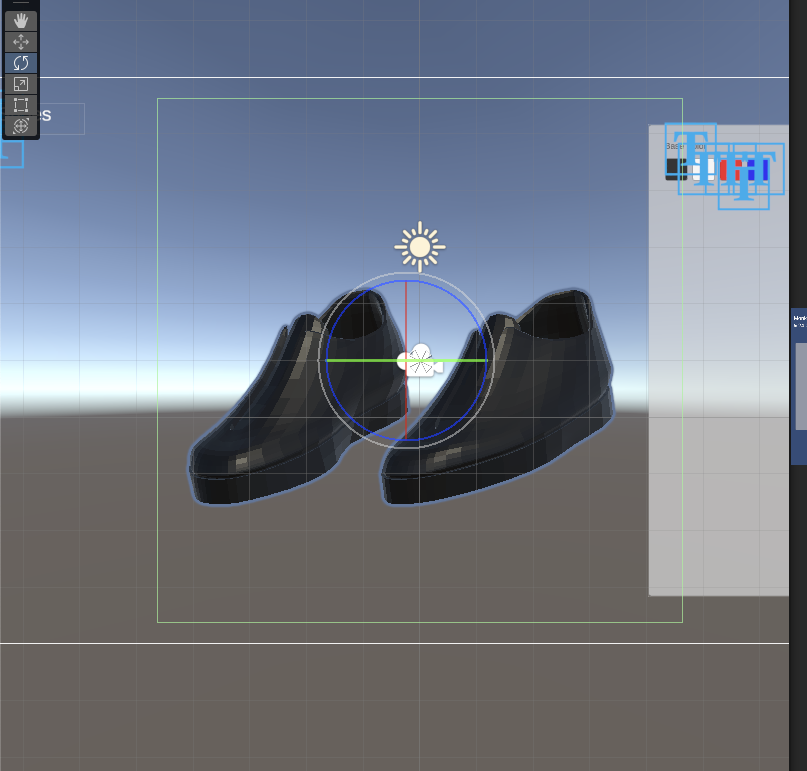
That seemed to be fine. In the Scene view, I was able to rotate the object smoothly without any issue.
That Was a Lie!!!
There's still a flaw!!!
I'm planning to fix it later, so for now I've gone ahead and published the post as-is.
Sorry!!!!