What Is This Post?
This post covers how to manage a Unity project with Git. Plenty of guides using SourceTree and the like show up right away in a search, so this one is aimed at readers who already have some experience using Git.
Environment
- Apple Silicon M1 MacBook Air
- 16 Gb
- macOS Sequoia 15.0
- Unity 2022.3.31f1
How to Do It
Unity settings
Creating .gitignore
Git LFS
I'll walk through these three settings in order.
Unity-Side Settings
Open Edit / Project Settings from Unity's menu.
Select Editor from the menu on the left.
There's an item called Asset Serialization — set it to Force Text. (It's probably already the default?)
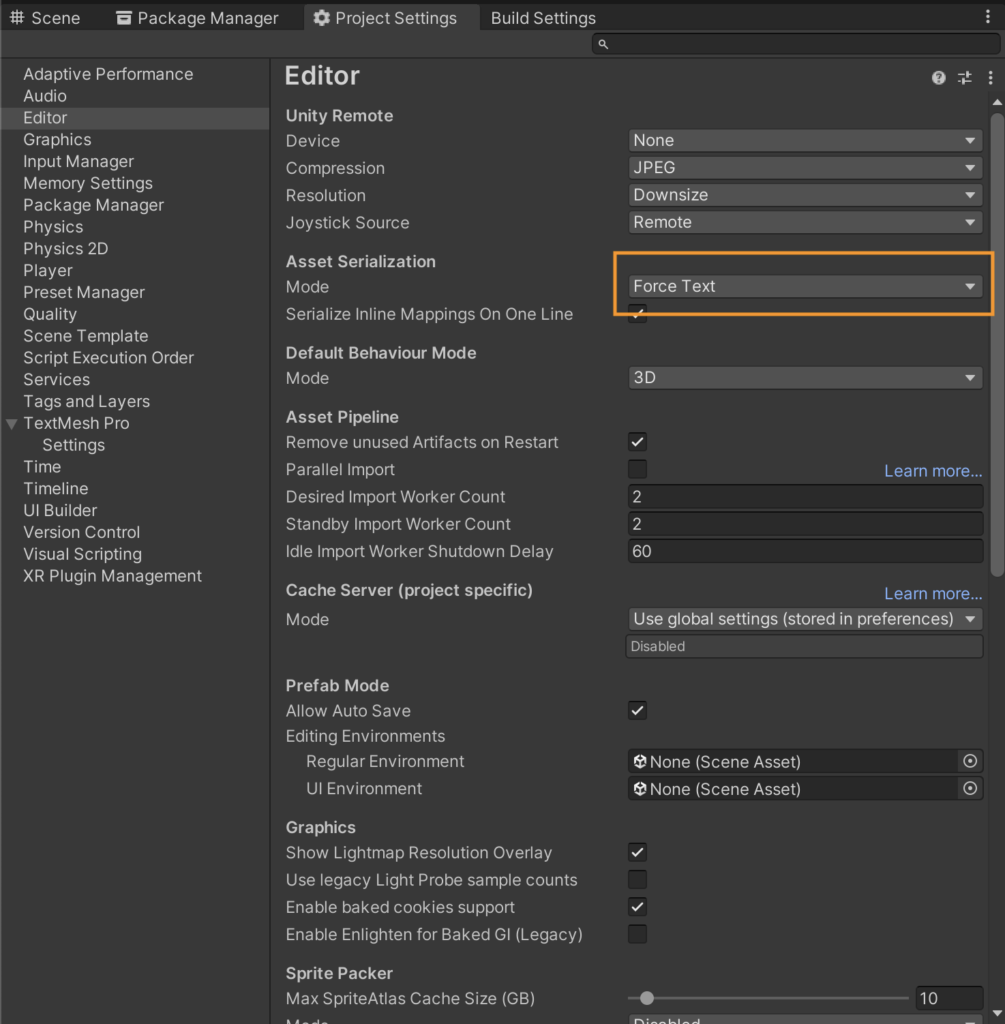
This setting saves scenes and prefabs in text format.
I switched it to text format instead of binary to make resolving Git conflicts easier.
Git Settings
Here are the files you want Git to manage.
- Assets
- Packages
- ProjectSettings
- UserSettings
Set anything you don't need to be ignored.
I created a .gitignore file in the root directory with the following content.
# Unity関連の生成ファイルを無視
[Ll]ibrary/
[Tt]emp/
[Oo]bj/
[Bb]uild/
[Bb]uilds/
[Ll]ogs/

# 特定のプラットフォーム関連ファイル
[Dd]ebugPublic/
[Mm]emoryCaptures/
[Uu]ser[Ss]ettings/

# Visual StudioやJetBrains Rider関連
.vscode/
*.csproj
*.unityproj
*.sln
*.suo
*.user
*.userprefs
*.pidb
*.booproj
*.svd

# その他
*.swp
*.lock
*.idea/
Git LFS Settings
Have you ever gotten a warning when uploading something large while using plain Git?
In game development, 3D models and image data tend to balloon in size, so this quickly becomes a real problem.
That's where Git LFS comes in.
Git LFS (Git Large File Storage) is a tool for efficiently managing large and binary files.
Installing Git LFS with Homebrew
If you've never installed it, install it via Brew.
https://formulae.brew.sh/formula/git-lfs
brew install git-lfsIf you've already installed it before, check the version.
git lfs --versionInitial Git Setup
Move into your project directory.
cd /あなたのプロジェクトディレクトリInitialize Git.
git initEnable LFS.
git lfs installUpdated Git hooks.
Git LFS initialized.If LFS was enabled successfully, you'll get this response.
Specify the file types you want to track.
Since images and 3D data are the heaviest, I specified them like this.
git lfs track "*.png"
git lfs track "*.fbx"
After that, just use Git as usual.
git add .
git commit -m "initial commit"
Supplement: Checking Whether Git LFS Is Enabled
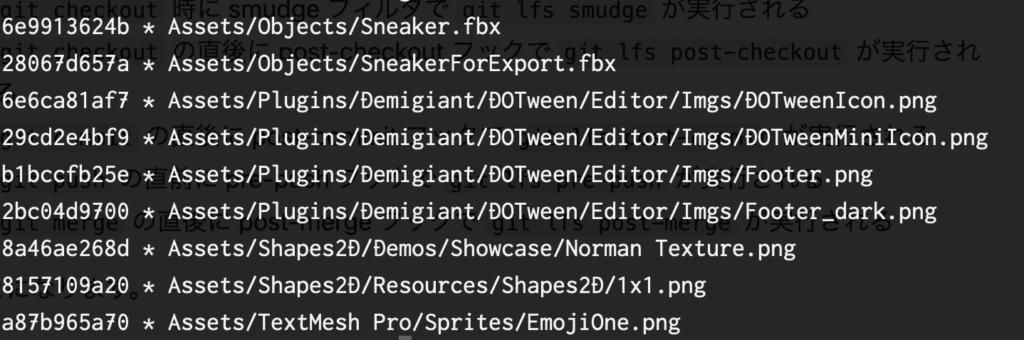
git lfs ls-filesIf it's set up correctly, you should see something like the image below.