

When I tried to build a Flutter app for iOS, I ran into the following error in AppDelegate.swift and couldn't run the app.
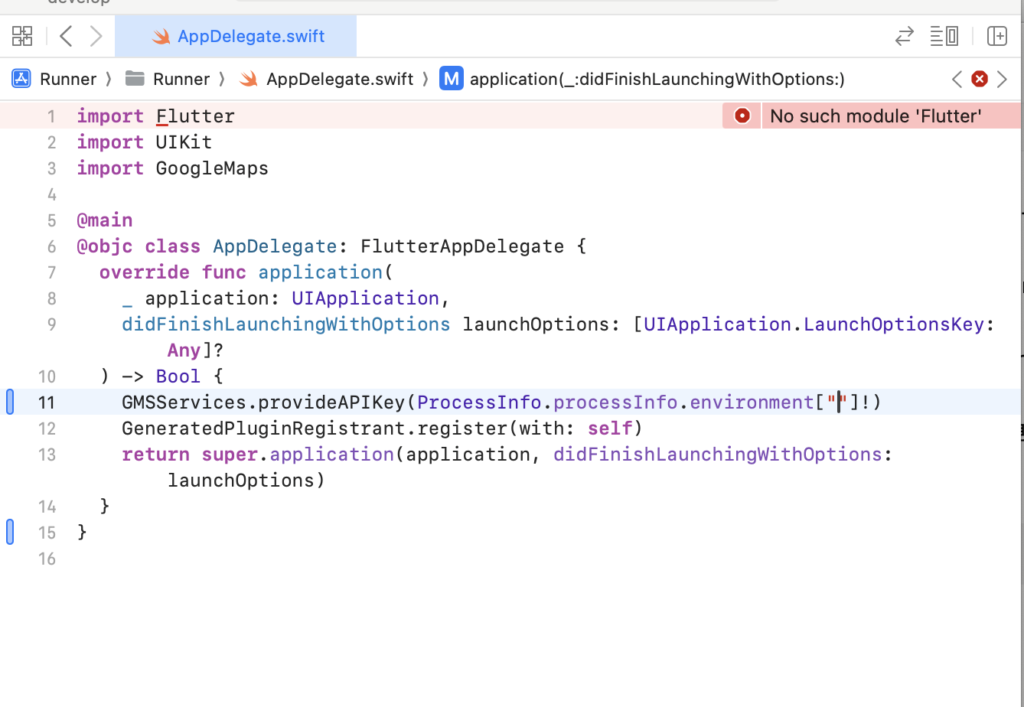
No such module ‘Flutter’
Thread 1: Fatal error: Unexpectedly found nil while unwrapping an Optional value
This post explains how to fix it.
Solution
Clear the Flutter project's cache. This is done to resolve dependency-related issues.
flutter cleanDownload and update packages and set up dependencies according to pubspec.yaml.
flutter pud getMove into the ios directory.
cd iosCreate the Pods/ folder based on ios/Podfile. This also updates ios/Podfile.lock and pins the dependency versions.
pod installOpen Xcode with the command below. Note that it's not Runner.xcodeproj ⚠️
open Runner.xcworkspaceIf this doesn't fix it
Try upgrading Flutter. (That's what fixed it for me... sigh.) After upgrading, go through the clean, pub get, and pod install steps again.
flutter upgrade