
When running Ubuntu as a home server, it's a good idea to reboot it periodically.
When a system or service stays running for a long time, it can occasionally hang or run into glitches. Rebooting on a regular schedule helps prevent these problems before they happen and keeps operation stable.
Environment
- Ubuntu 24.04.1 LTS
- version 24.04
As of 2025/02/06
How to do it
We'll use the crontab command, which is used to automatically run commands or scripts on a schedule.
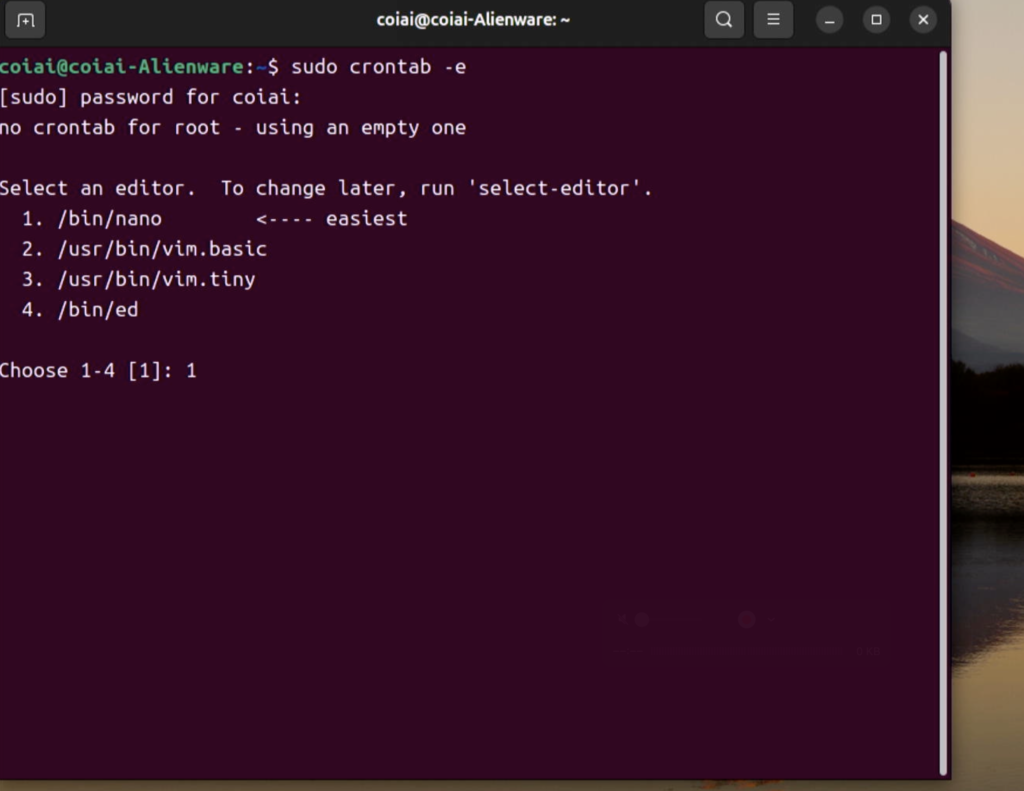
Open the cron job editing screen.
sudo crontab -eYou'll be asked to choose an editor, so select nano.
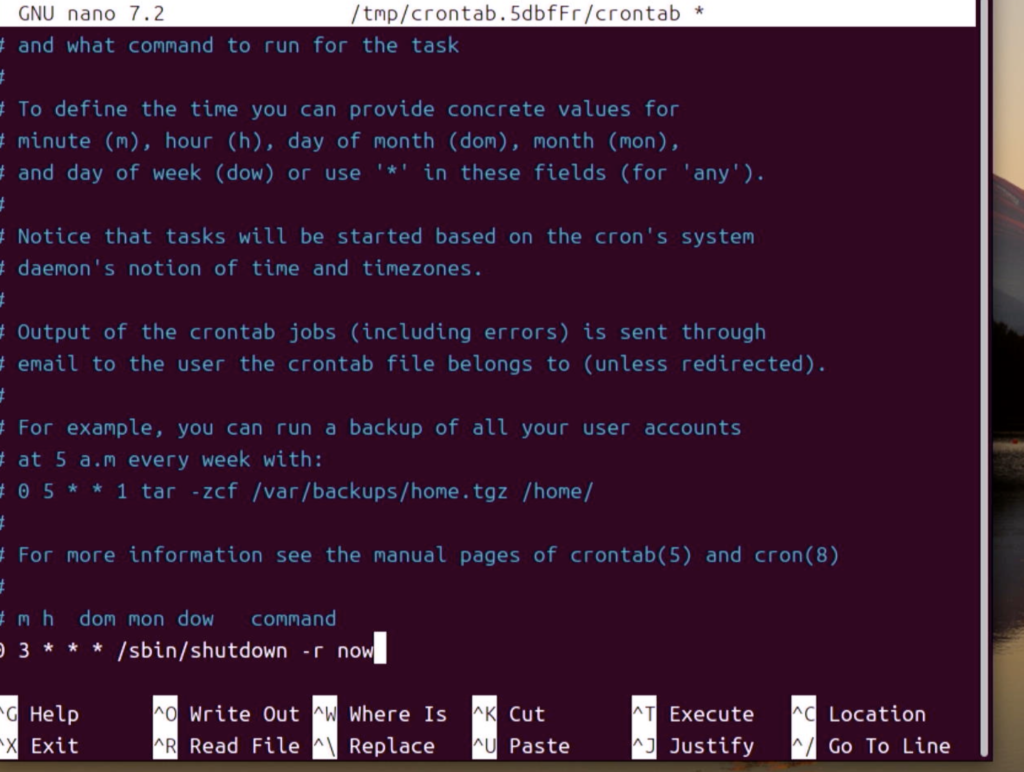
Add the schedule. Here I set it to reboot every day at 3:00 AM.
0 3 * * * /sbin/shutdown -r nowSyntax
- 0 3 * * *: runs at 3:00 every day
- 0: minute (minute 0)
- 3: hour (3 o'clock)
- *: day of month (every day)
- *: month (every month)
- *: day of week (every day)
Once you've entered it, save with Ctrl+O, then exit with Return and Ctrl+X.
Verify
You can check with the following command.
sudo systemctl status cronThe logs are recorded here.
grep CRON /var/log/syslog