
❓ What is this?
When I tried to turn on Geospatial Creator in Unity, I ran into the error below. This post explains how I fixed it.
The Geospatial Creator helps you build AR apps by showing where your content will be placed in the real world.

The project is missing the following required dependencies:

com.cesium.unity 1.1.0+

See the Quickstart Guide for more information.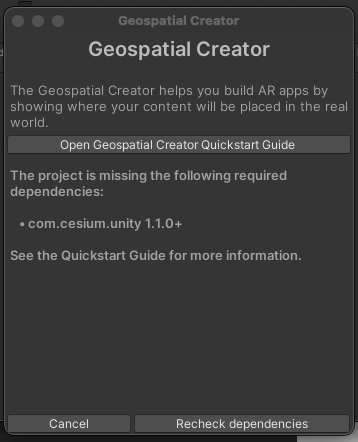
💻 Environment
- Chip Apple M1
- Memory 16 GB
- macOS Sonoma 14.5 (23F79)
- Unity Version 2022.3.31f1
💡 Steps to resolve it
It looks like Cesium isn't included by default in Apple Silicon builds.
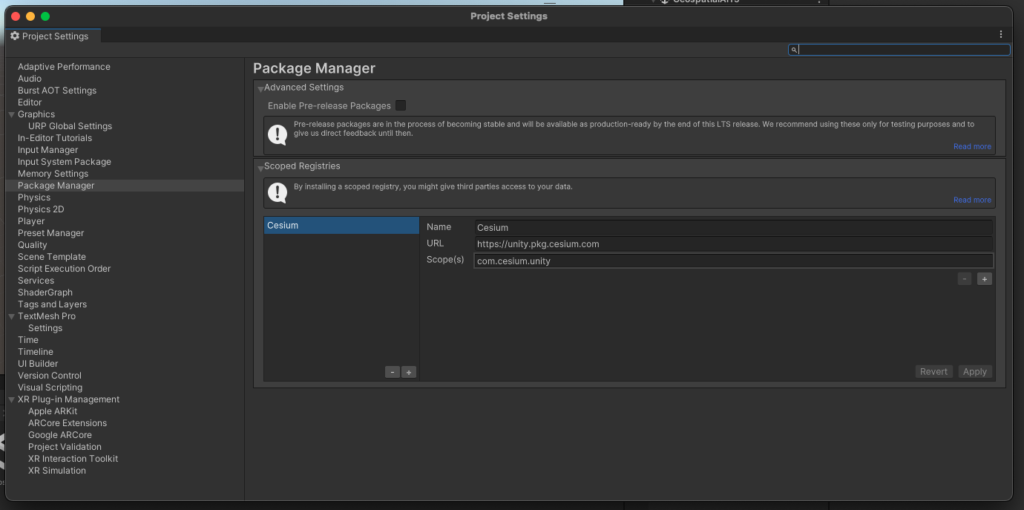
1. Open Project Settings via Edit / Project Settings
Once it's open, click the Package Manager tab.
2. Add a scoped registry
Name Cesium
URL https://unity.pkg.cesium.com
Scope(s) com.sesium.unity
3. Open Window / Package Manager
Select My Registries and Cesium for Unity will show up, so click Install.
This should work with v1.6.2 or later.
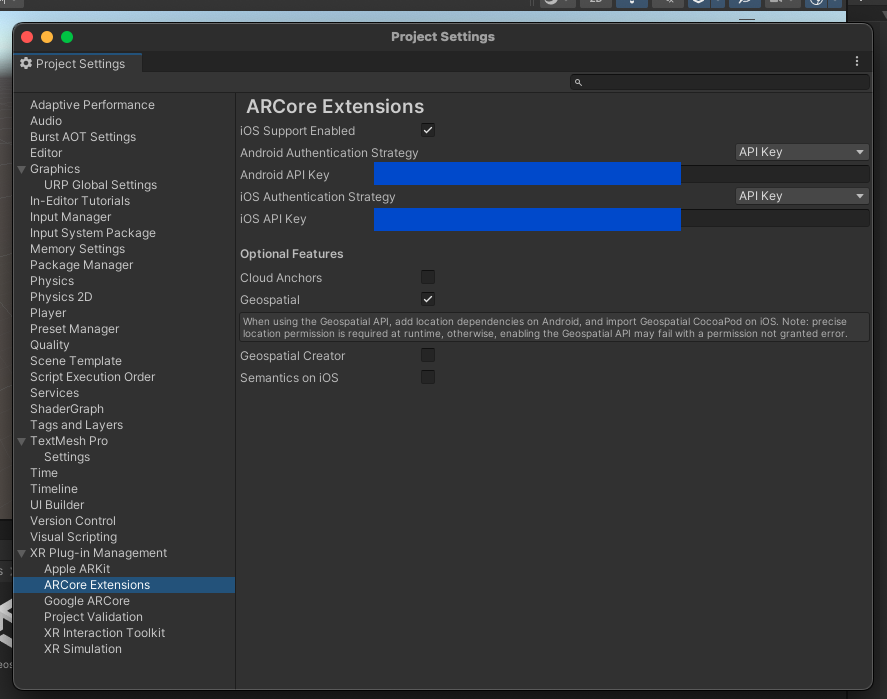
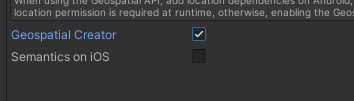
4. Turn on ARCore Extensions Geospatial Creator
Open the ARCore Extensions tab in Project Settings and turn on Geospatial Creator!
Got it working — what a relief.
📕 Reference
Cesium Community
https://community.cesium.com/t/missing-dlls-in-osx-standalone-il2cpp-builds/26714