
This post walks through how to edit audio content, like podcast recordings, in Audition after you've captured it.
Environment
- MacBook Air M4
- macOS Thahoe 26.2(25C56)
What We're Doing
Running through these four basic steps makes a noticeable difference in quality!
- Noise reduction
- Compressor (evening out the levels)
- EQ (clearing up the voice)
- Silence removal
Noise Reduction
Select a silent section. Press the i key to set the start point and o to set the end point.
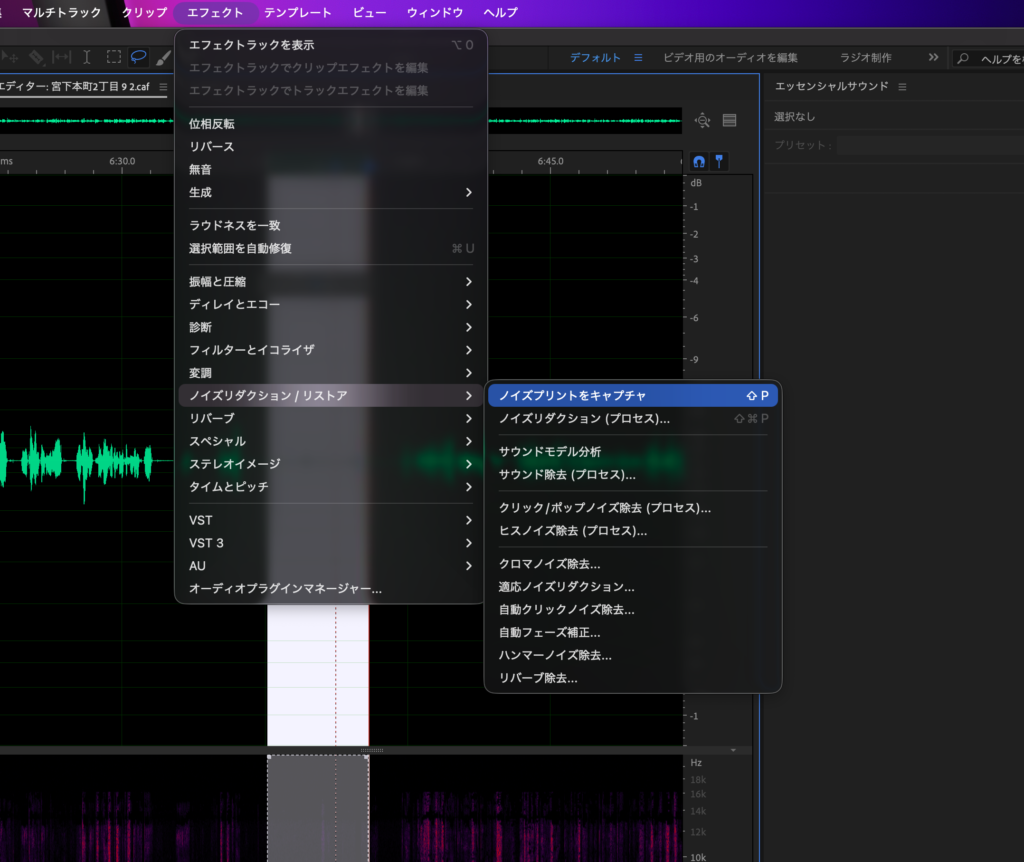
Once you've made the selection, go to Effects → Noise Reduction/Restoration → Capture Noise Print.
Next, select the whole clip — cmd+A selects everything.
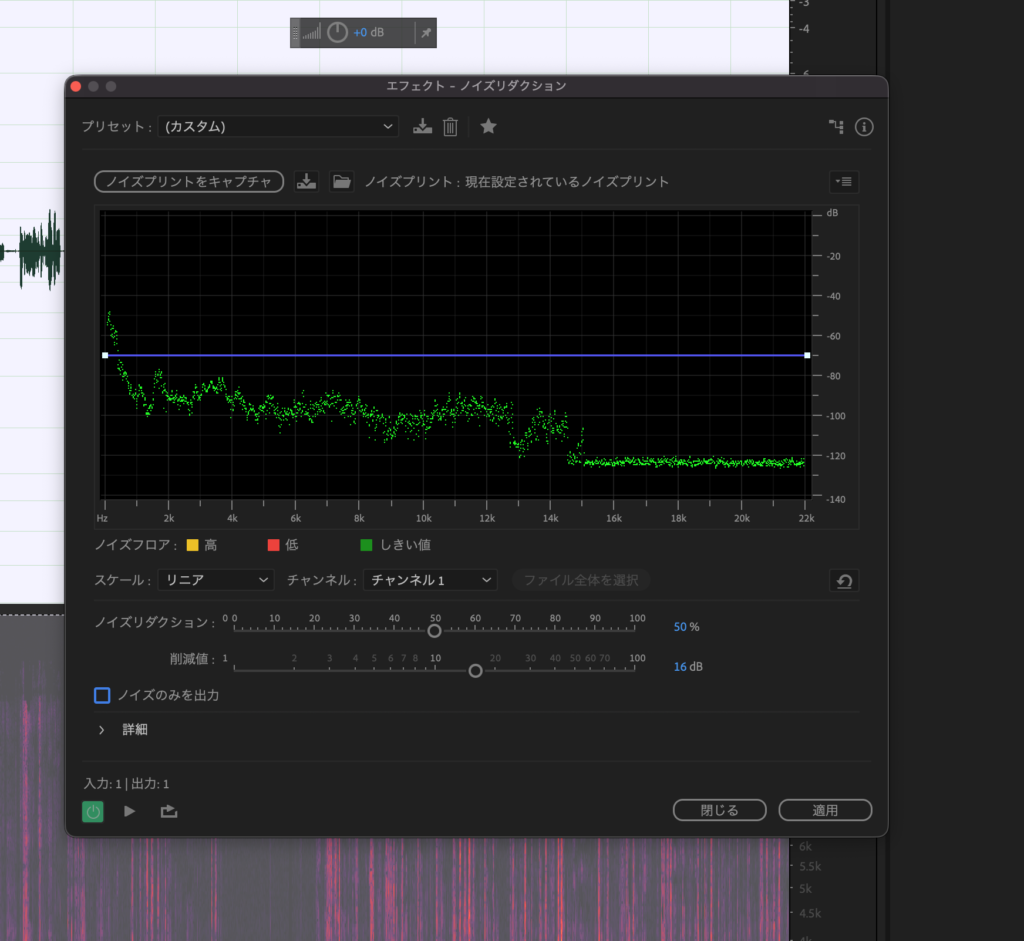
Go to Effects → Noise Reduction/Restoration → Noise Reduction.
A panel like the one below will appear. Solo just the noise, adjust the reduction amount, and once it sounds good, click Apply.
Single-Band Compressor
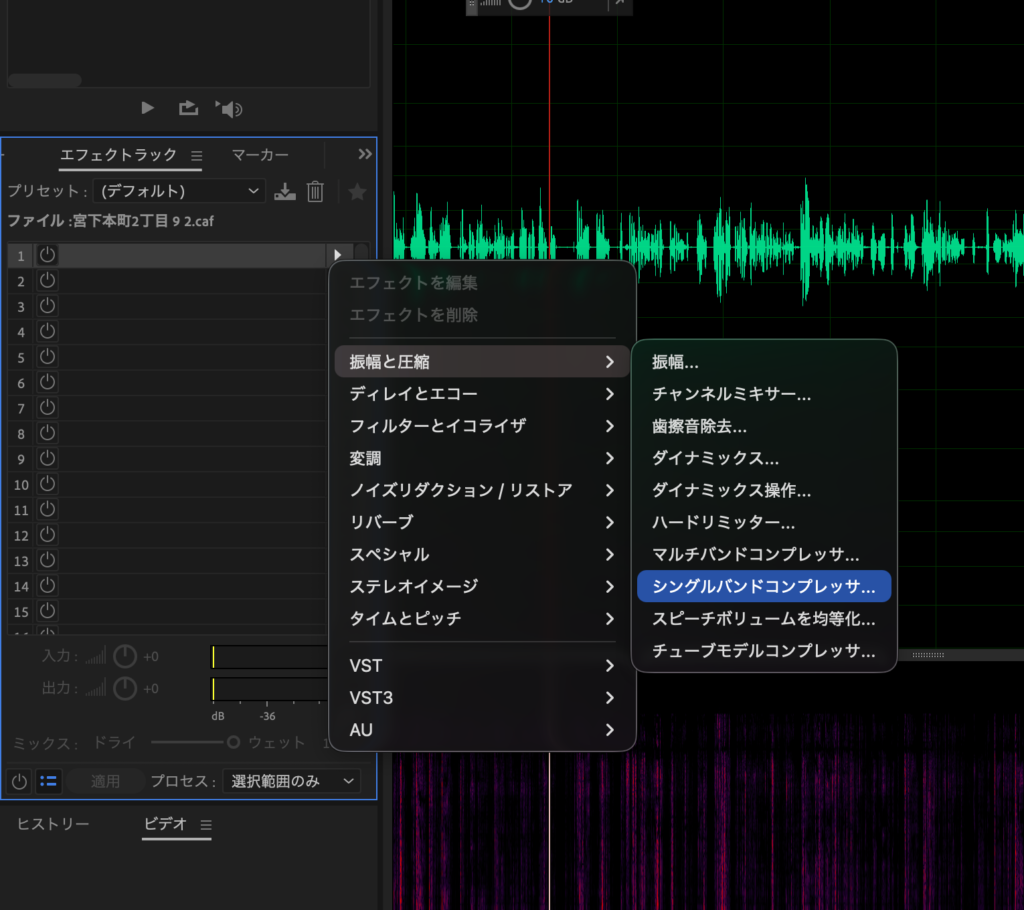
From the Effects Rack in the left panel, click the ▶️ button, then
choose Amplitude and Compression → Single-Band Compressor.
Selecting it opens a panel like the one below.
Here's what each control does:
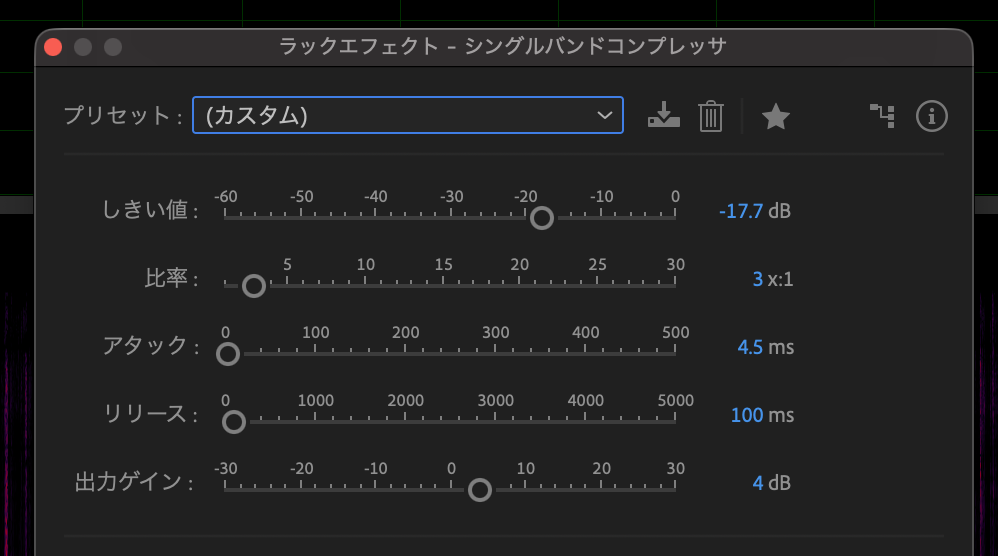
- Threshold
- The level above which audio gets compressed
- Ratio
- How hard the signal gets squashed
- Attack
- How fast the compression kicks in
- Release
- How long it takes for the compression to let go
- Output Gain
- Brings back up the level that compression pulled down
That's what each one means. I set my values as shown in the image below.
If setting this up sounds like a hassle, just pick Radio Leveler from the presets.
EQ (Clearing Up the Voice)
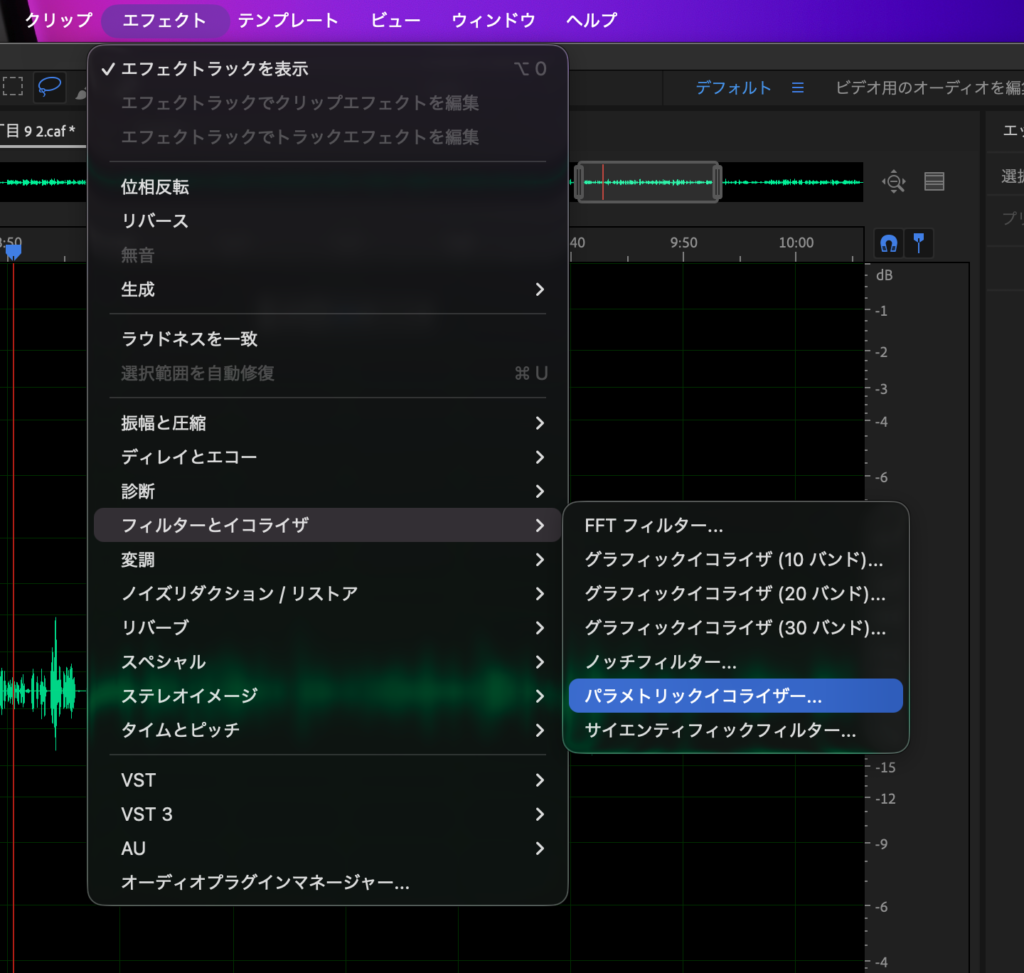
Use the Parametric Equalizer. Go to Effects → Filter and EQ → Parametric Equalizer.
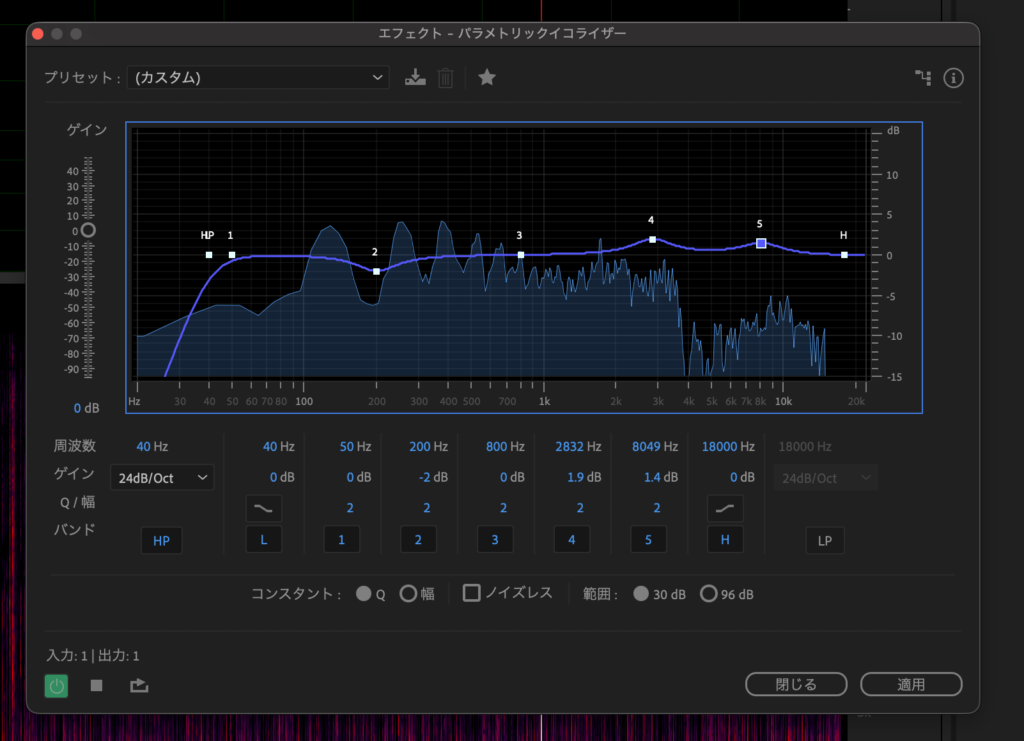
Here's how I have mine set up:
- High-pass filter turned ON
- Lower the low end slightly
- Boost the mid-high range slightly
Silence Removal
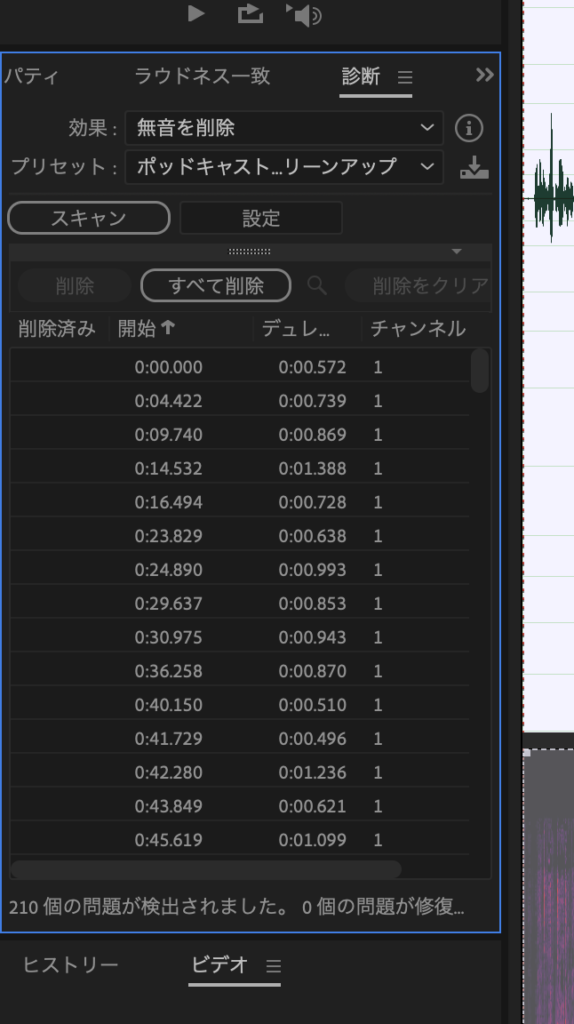
Go to Effects → Diagnostics → Cut Silence, and the diagnostics panel appears on the left.
Setting the effect to "Delete Silence" and the preset to "Podcast" tends to work well.
Once configured, hit the Scan button, then Delete All, and the silence gets cut.
It cuts quite aggressively, so it feels better suited to short spots like ads than to full episodes.
Reference
Adobe Strip Silence
https://helpx.adobe.com/jp/audition/using/strip-silence.html