❓ What is this?
I'm using ARCore Extensions in Unity, and I ran into the following warning: error CS1029: #error: ‘Input.location API requires Active Input Handling to be set to Input Manager (Old) or Both’.
error CS1029: #error: 'Input.location API requires Active Input Handling to be set to Input Manager (Old) or Both'💻 Environment
- Chip Apple M1
- Memory 16 GB
- macOS Sonoma 14.5 (23F79)
- Unity Version 2022.3.31f1
💡 Steps to resolve it
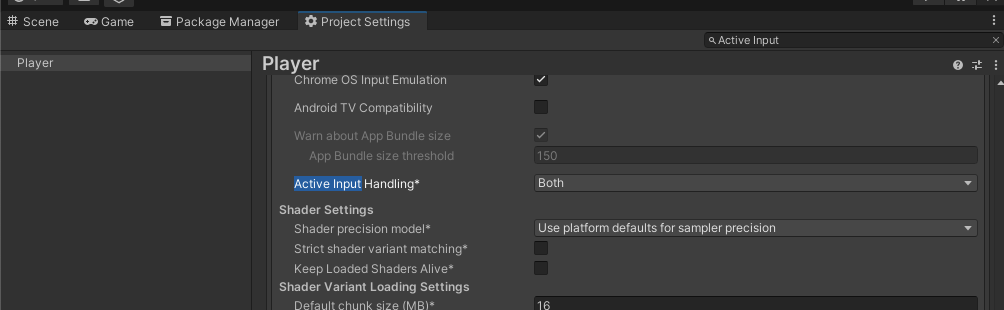
The fix is to change Active Input Handling to "Both" or "Input Manager (Old)" in Unity's project settings. Here are the specific steps:
- Open the "Edit" menu in the Unity editor.
- Select "Project Settings…".
- Select "Player" from the menu on the left.
- Change the "Active Input Handling" setting to "Both".
This enables both the legacy Input Manager and the new Input System, so scripts that use the Input.location API will work correctly.