
Here's how to stop Ubuntu from going to sleep.
Open a terminal
sudo nano /etc/systemd/logind.confChange the [HandleLidSwitch] line to [ignore].
It's prefixed with a #, so remove that.
If you'd rather not edit it in place,
#HandleLidSwitch=suspend
HandleLidSwitch=ignore
it's probably better to just add a new line right after the commented-out one, like this.
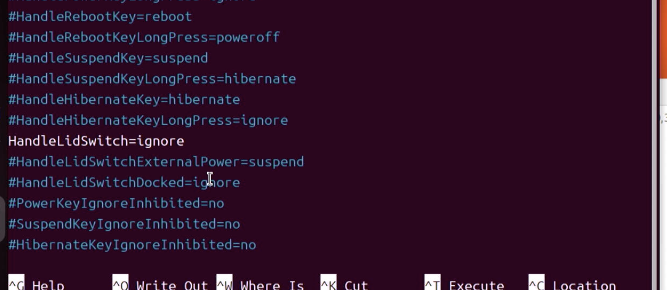
Once done, save with ctrl + O and exit with ctrl + X.
sudo systemctl restart systemd-logindThis reloads the config file and applies the change.
(I wonder if this is basically the Linux equivalent of re-sourcing your zprofile on Mac??)
And that's the setup done.
If you'd rather avoid the terminal, there's apparently an app called Tweaks.
sudo apt install gnome-tweaksYou should be able to install it with that.