

I decided to build a vocabulary flashcard app in Flutter, and chose Django + AWS RDS (PostgreSQL) for the backend. Here I'm writing up the setup steps as notes for myself.
Environment
- M1 MacBook Air
Tech stack used
- Django 4.x (Python 3.13)
- AWS RDS (PostgreSQL)
- psycopg2-binary (PostgreSQL driver)
- Environment variable management: python-dotenv
- API: Django REST Framework
🛠 Setup Steps
1. Setting up the Django project
I spun up a virtual environment and created the Django project. Since this is a vocab app I named it "vocab," but if you're following along, feel free to use whatever project name you like.
python -m venv venv
source venv/bin/activate
pip install django djangorestframework psycopg2-binary python-dotenv
django-admin startproject config .
python manage.py startapp vocab
2. Creating the .env file (RDS connection info)
I created a .env file in the project's root directory, and put together the following information shown when setting up AWS RDS.
Adding .env to .gitignore lets you manage it remotely.
DB_HOST=your-rds-endpoint.ap-northeast-1.rds.amazonaws.com
DB_NAME=vocab
DB_USER=yourusername
DB_PASS=yourpassword
3. Setting up the DB connection in settings.py
Load the .env file we just created. PORT defaults to 5432, so I wrote it in directly.
import os
from dotenv import load_dotenv

load_dotenv()

DATABASES = {
    'default': {
        'ENGINE': 'django.db.backends.postgresql',
        'NAME': os.getenv('DB_NAME'),
        'USER': os.getenv('DB_USER'),
        'PASSWORD': os.getenv('DB_PASS'),
        'HOST': os.getenv('DB_HOST'),
        'PORT': '5432',
        'OPTIONS': {
            'sslmode': 'require',
        }
    }
}
4. Setting up the AWS RDS (PostgreSQL) instance
Access the AWS RDS console from the web and adjust the settings for the RDS instance you created.
- Public access: Yes
- Open port 5432 in the security group
- Source: your own IP/32 (check it in the terminal with curl -4 ifconfig.me)
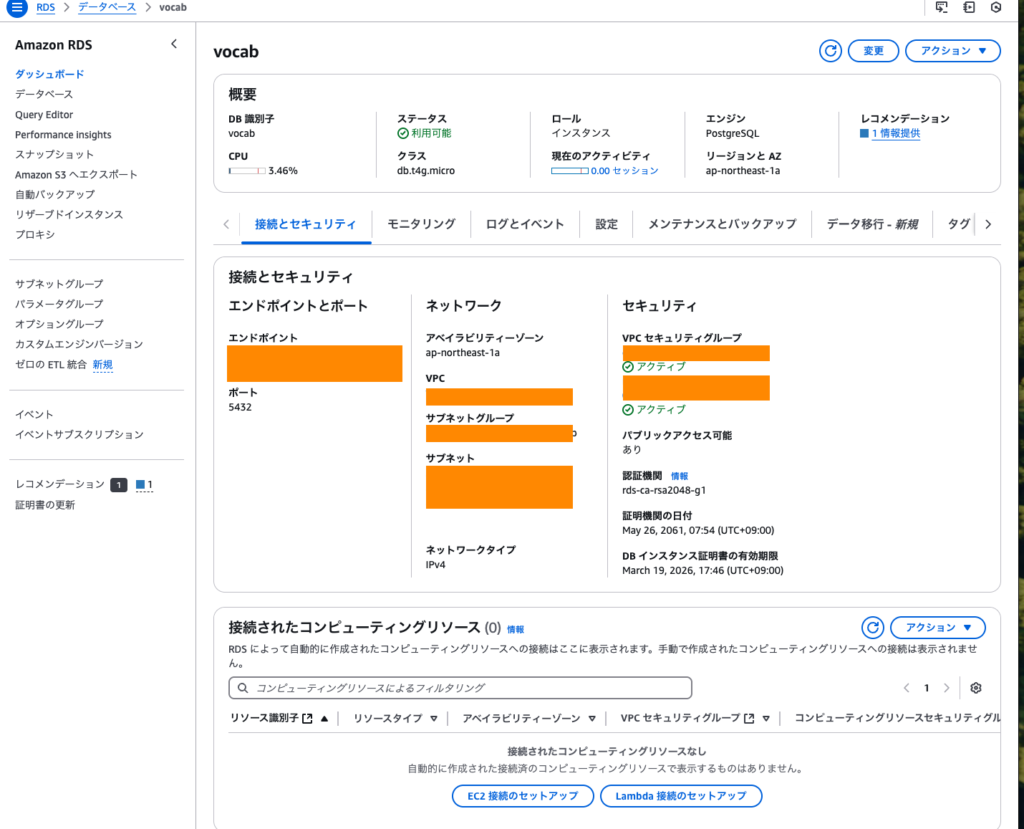
5. Assigning the security group to RDS
AWS Console → RDS → Databases → "Modify" → Add security group
6. Connecting to RDS and creating the database
I created a database named "vocab." This uses the psql command, so install it if you don't already have it.
brew install postgresqlpsql "host=your-rds-endpoint port=5432 user=yourusername dbname=postgres sslmode=require"CREATE DATABASE vocab;7. Defining Django models and running migrations
Example: vocab/models.py
from django.db import models

class Vocabulary(models.Model):
    word = models.CharField(max_length=100)
    meaning = models.TextField()
    created_at = models.DateTimeField(auto_now_add=True)
Run the migration:
python manage.py makemigrations vocab
python manage.py migrate
8. Building the API with Django REST Framework
vocab/views.py
from rest_framework import viewsets
from .models import Vocabulary
from .serializers import VocabularySerializer

class VocabularyViewSet(viewsets.ModelViewSet):
    queryset = Vocabulary.objects.all()
    serializer_class = VocabularySerializer
vocab/serializers.py
from rest_framework import serializers
from .models import Vocabulary

class VocabularySerializer(serializers.ModelSerializer):
    class Meta:
        model = Vocabulary
        fields = '__all__'
config/urls.py
from django.urls import path, include
from rest_framework.routers import DefaultRouter
from vocab.views import VocabularyViewSet
from django.http import JsonResponse

router = DefaultRouter()
router.register(r'vocab', VocabularyViewSet)

def root_view(request):
    return JsonResponse({"message": "Vocab API is running!"})

urlpatterns = [
    path('', root_view),
    path('api/', include(router.urls)),
    path('admin/', include('django.contrib.admin.urls')),
]
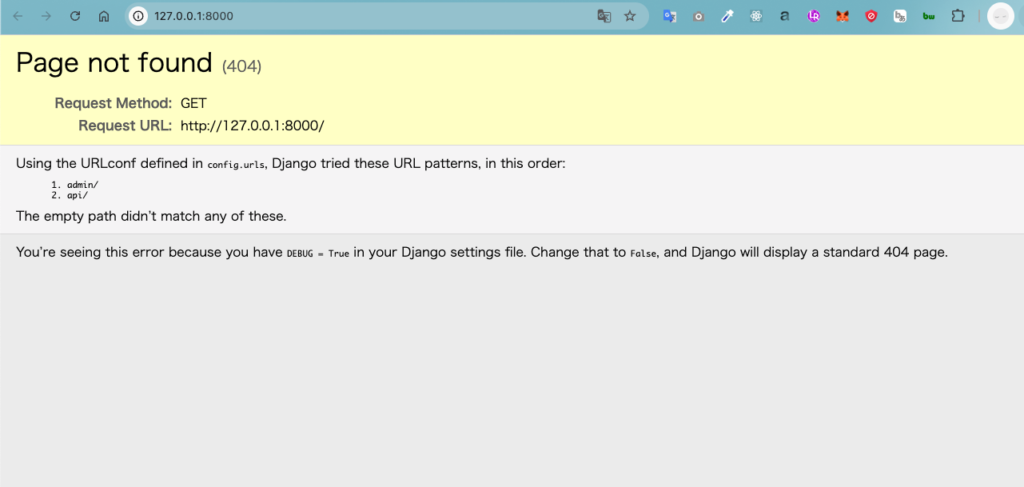
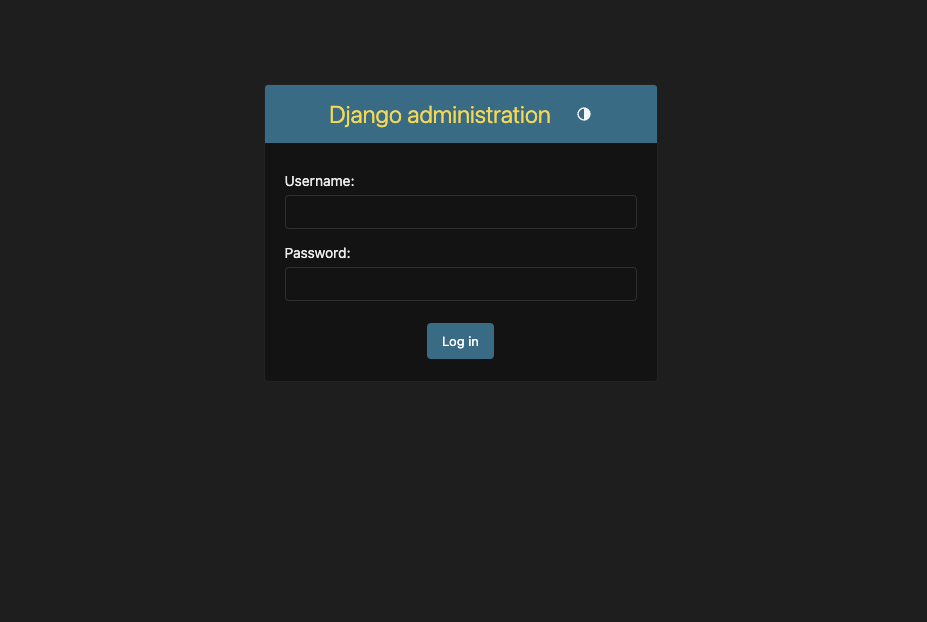
9. Starting the dev server and checking it
python manage.py runserverCheck:
• http://127.0.0.1:8000/ → a simple JSON response
• http://127.0.0.1:8000/api/vocab/ → confirms the API is working
✅ Summary
Getting Django and AWS RDS talking to each other — configuring security groups, public access, and so on — getting to that first successful connection was the biggest hurdle, but once you clear it, developing against a cloud DB is smooth sailing.
✍️ A few extra notes
• Since .env holds sensitive information, keep it out of Git via .gitignore
• When testing the RDS connection with psql, don't forget sslmode=require
• Watch the source IP on your security group (if it's not a fixed IP, update it each time)