
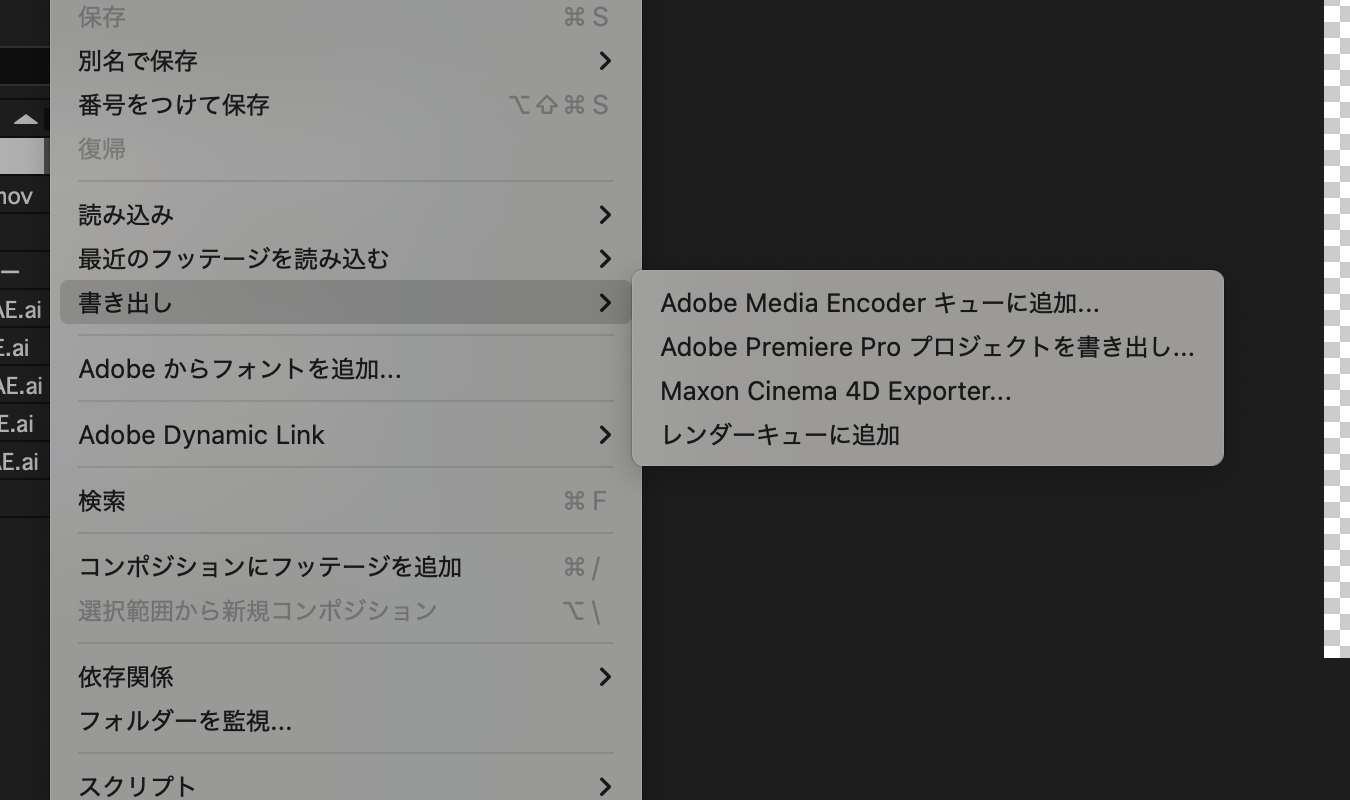
This article explains how to export a transparent Webm from After Effects.
Environment
MacBook Air M4
16GB
macOS Sequoia 15.5
How to do it
First, export as a MOV with transparency.
Go to File / Export / Add to Render Queue.
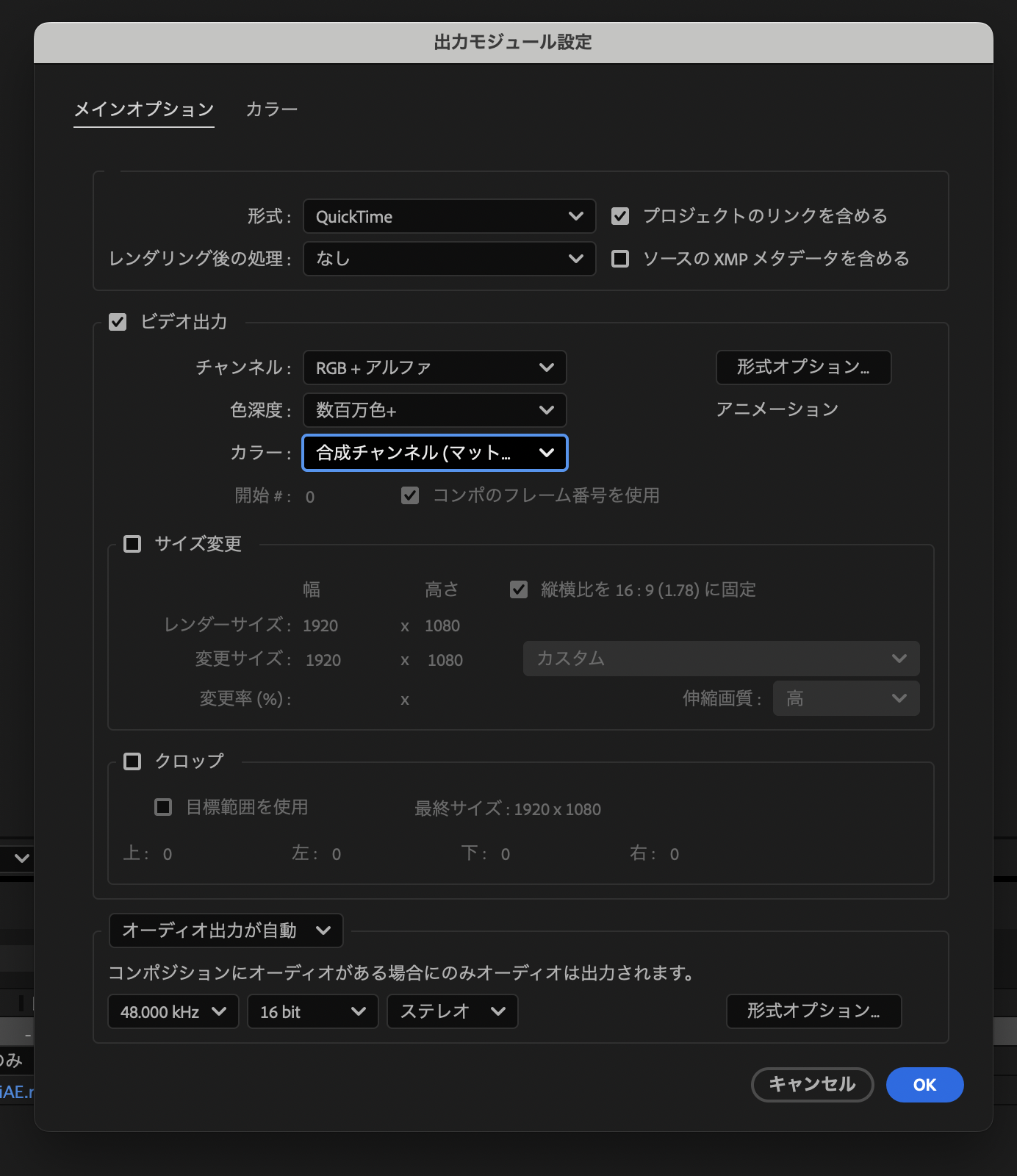
QuickTime
Custom → RGB + Alpha → Straight (Unmatted)
Export with these settings.
Next, convert this to Webm. I did this with a separate piece of software. As I'll explain below, exporting directly from After Effects didn't work in my environment.
Download Shutter Encoder.
Once you open Shutter Encoder,
Select VP9 from "Function to select"
Check "Enable alpha channel" under the advanced options
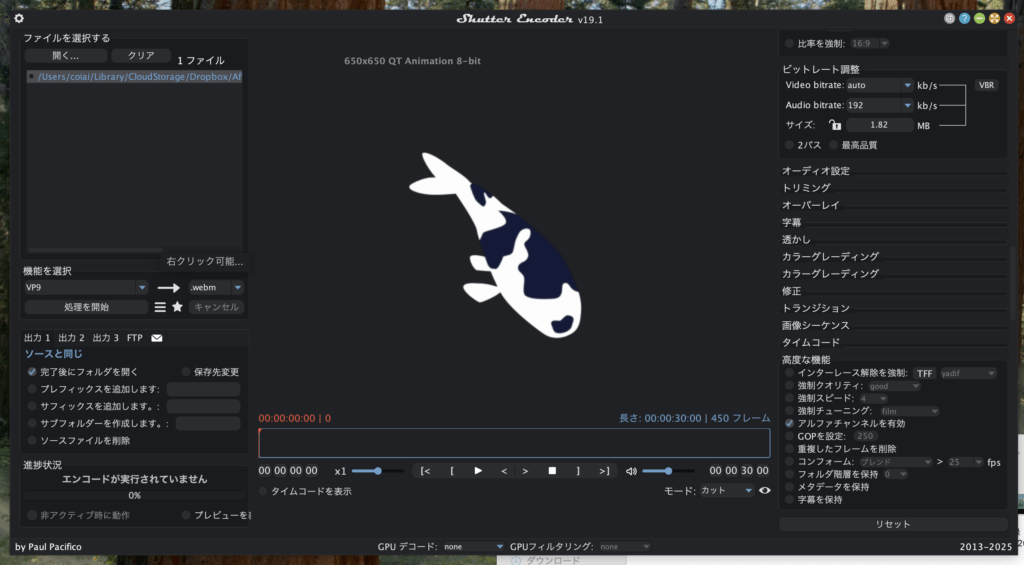
Exporting with this setup gives you a WebM that includes transparency!
Approaches That Didn't Work
I wasn't able to export directly to Webm from After Effects using a plugin.
It worked fine without transparency, though.
https://exchange.adobe.com/apps/cc/11631/webm