What is this?
We hold a meeting every morning at our company, and I wanted the meeting URL to get sent to LINE automatically.
This is the story of how I automated it using a LINE bot.
⚙️ Features
Automatically posts the Google Meet URL to a LINE group every day at 11:00 (JST)
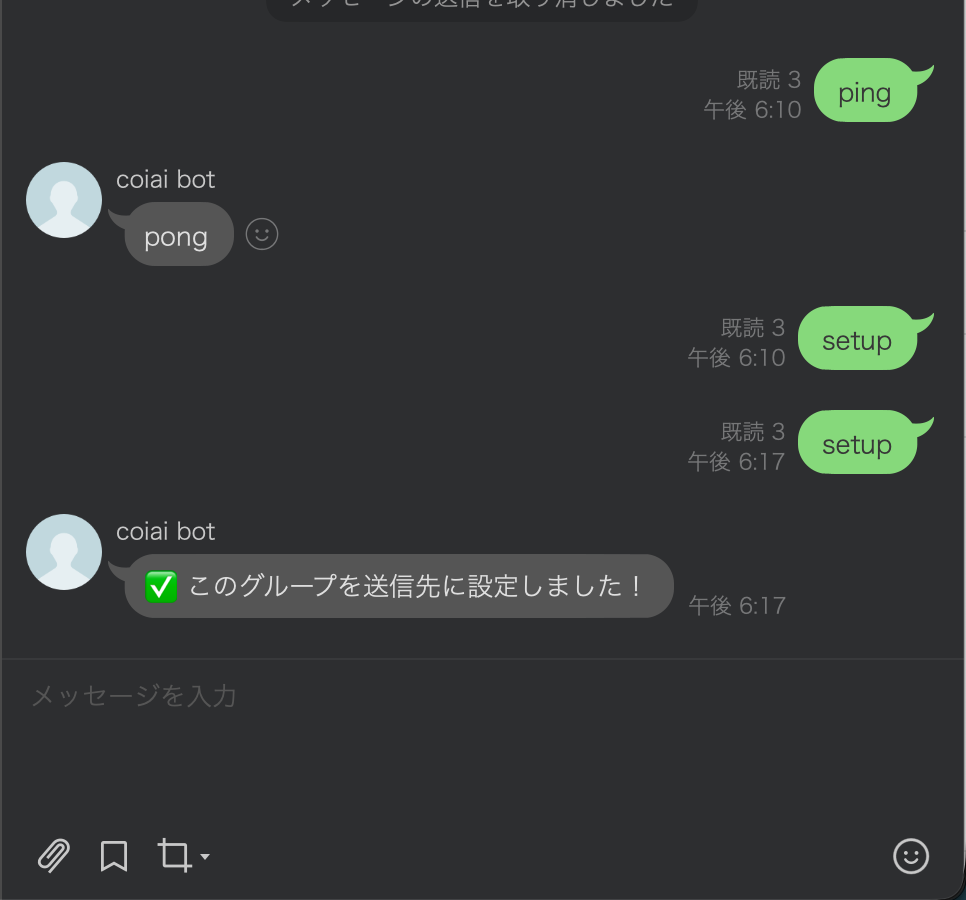
• Send "setup" as a message in the LINE group → retrieves and saves the destination group ID
• Send "ping" in the LINE group → replies "pong" (to confirm it's working)
• Runs daily via a Cloudflare Cron (Workflow) → pushes the Meet URL to LINE
First I tried Google Apps Script with LINE
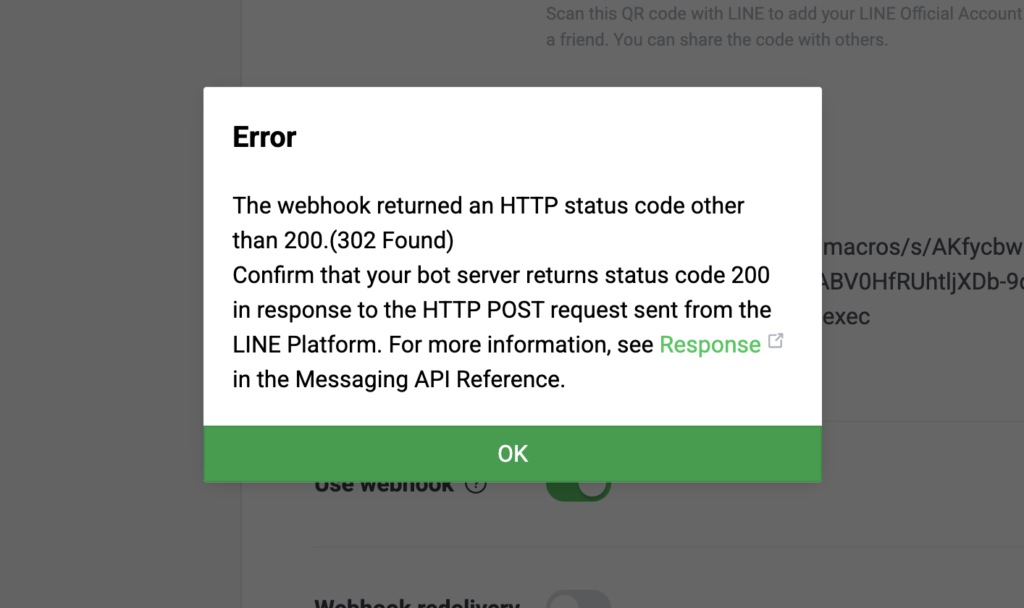
Using LINE together with Google Apps Script produced 302 errors and the behavior was unstable, so I decided to try a different approach.
Preparation (Cloudflare / LINE)
1) LINE Developers (Messaging API)
I used this article as a reference!
• Webhook URL: https://<your-worker>.workers.dev/
• Use webhook: ON
• Auto-reply messages: OFF (recommended)
• Invite the bot to your LINE group
2) What I set up in Cloudflare Workers
In short, Cloudflare Workers are "ultra-lightweight serverless functions (JavaScript/TypeScript)."
You can receive an HTTP request, process it, and return a response without provisioning a server!
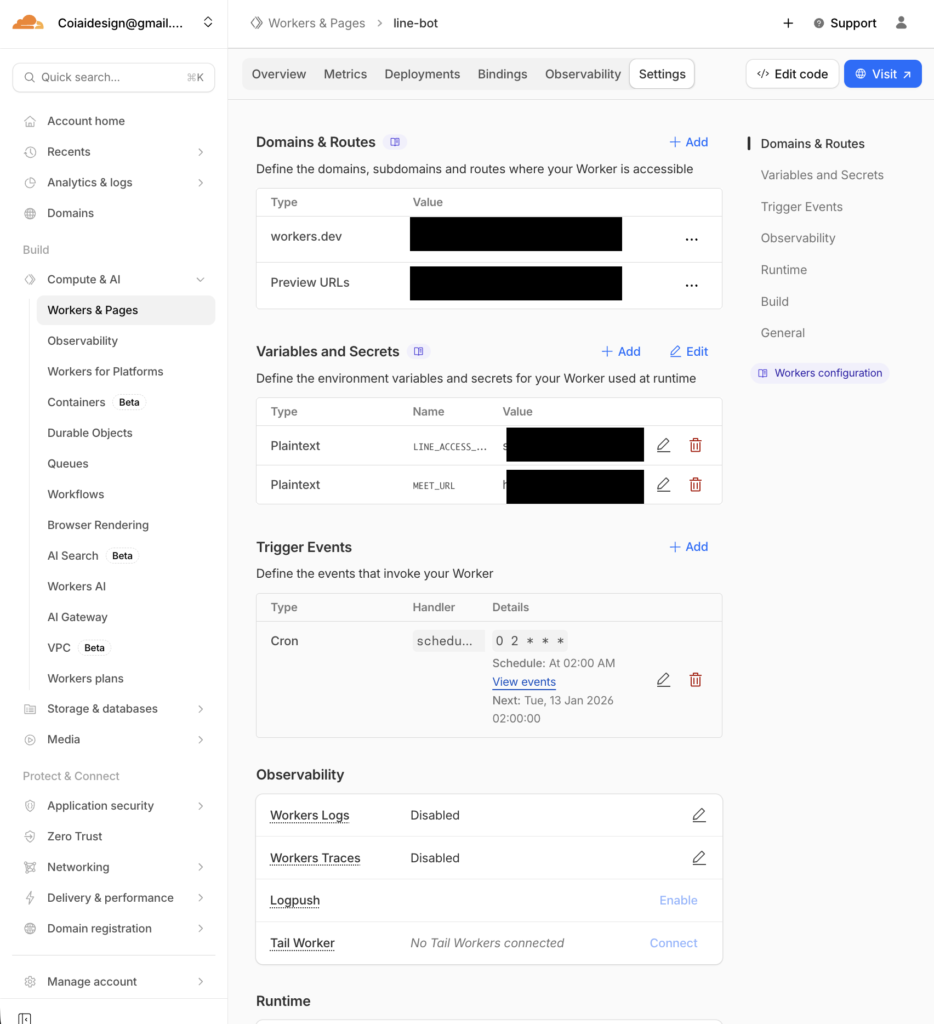
Secrets setup
• LINE_ACCESS_TOKEN: the long-lived channel access token (Messaging API)
• MEET_URL: the Google Meet URL to post every day
Copy the access token from LINE Developers
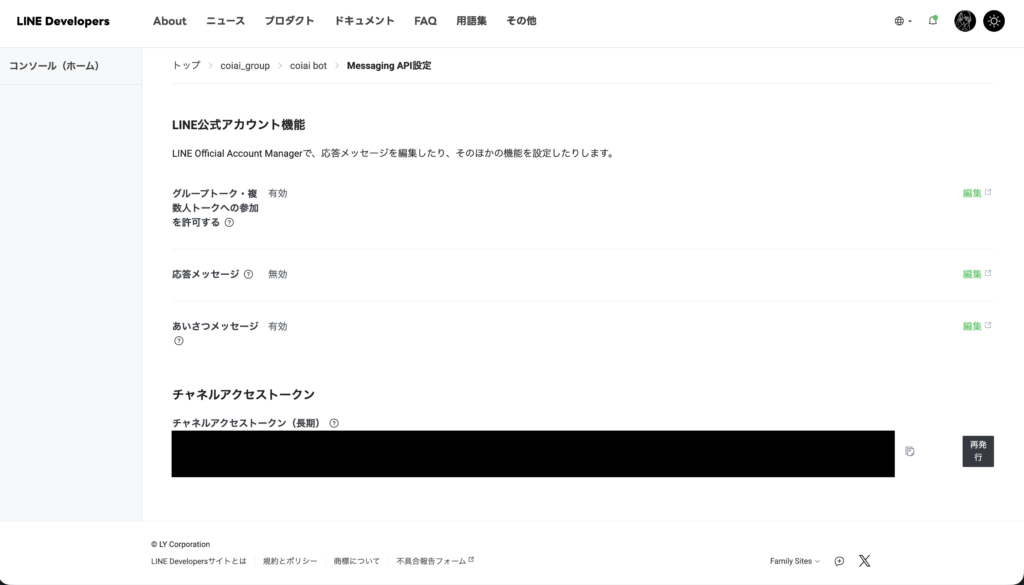
and add it under Variables and Secrets in Workers & Pages — that's all you need.
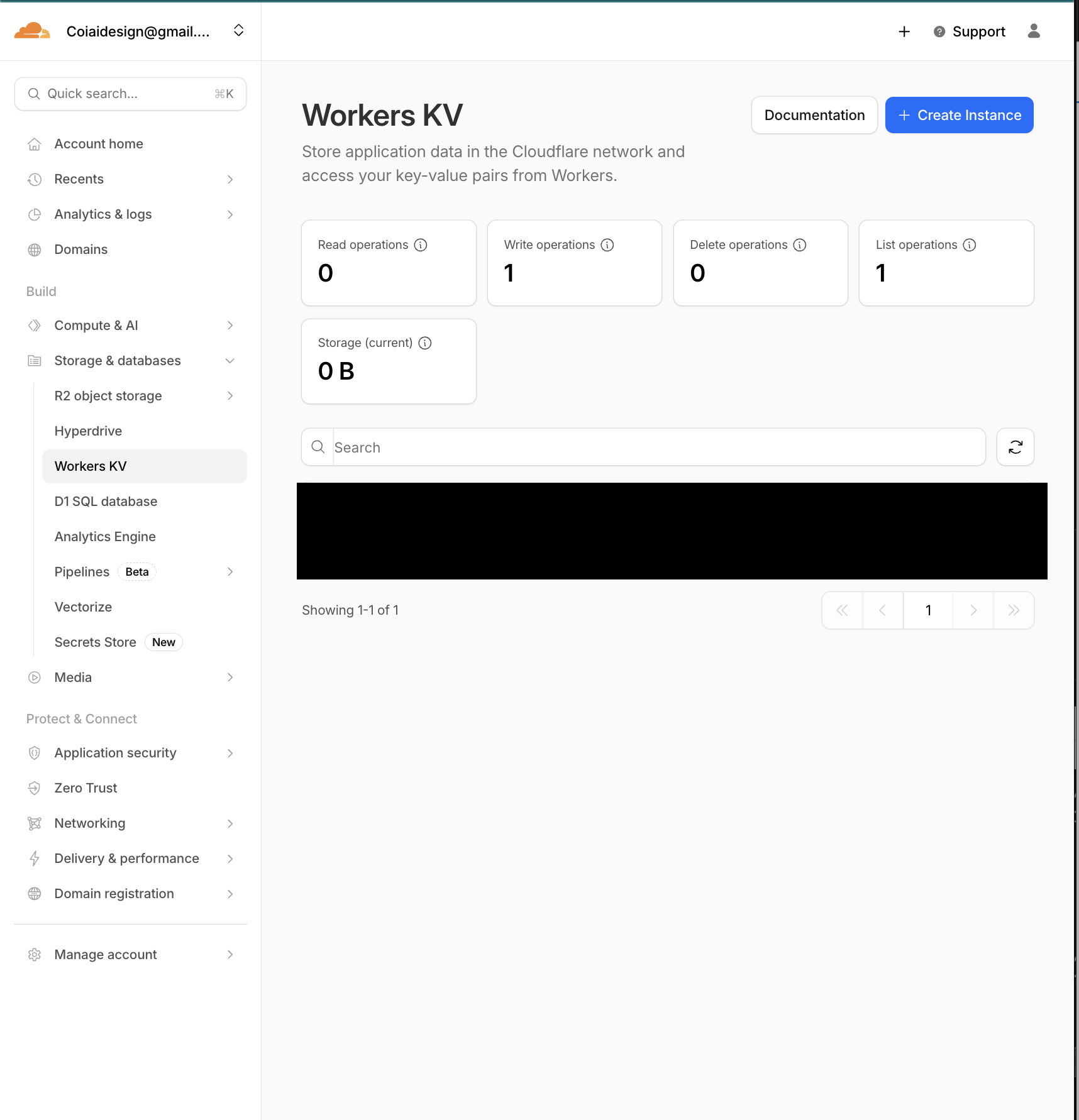
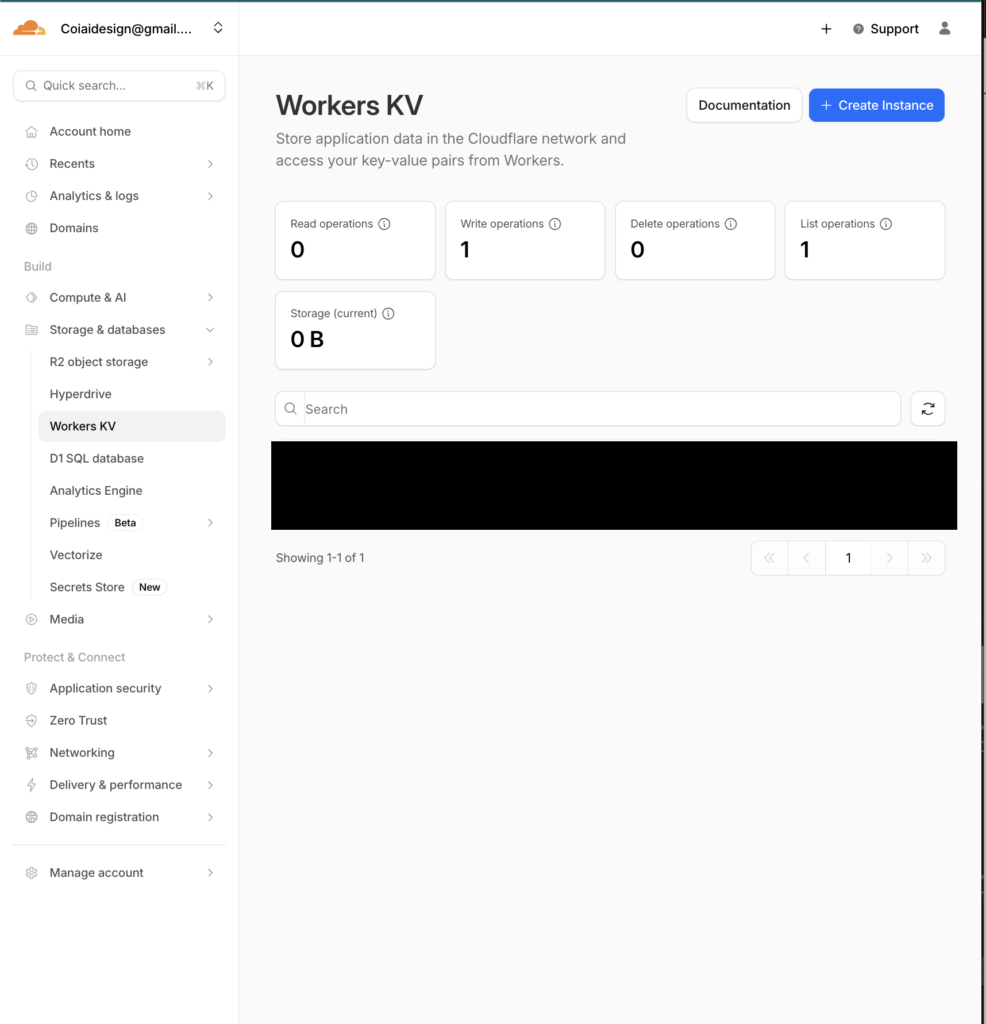
KV setup
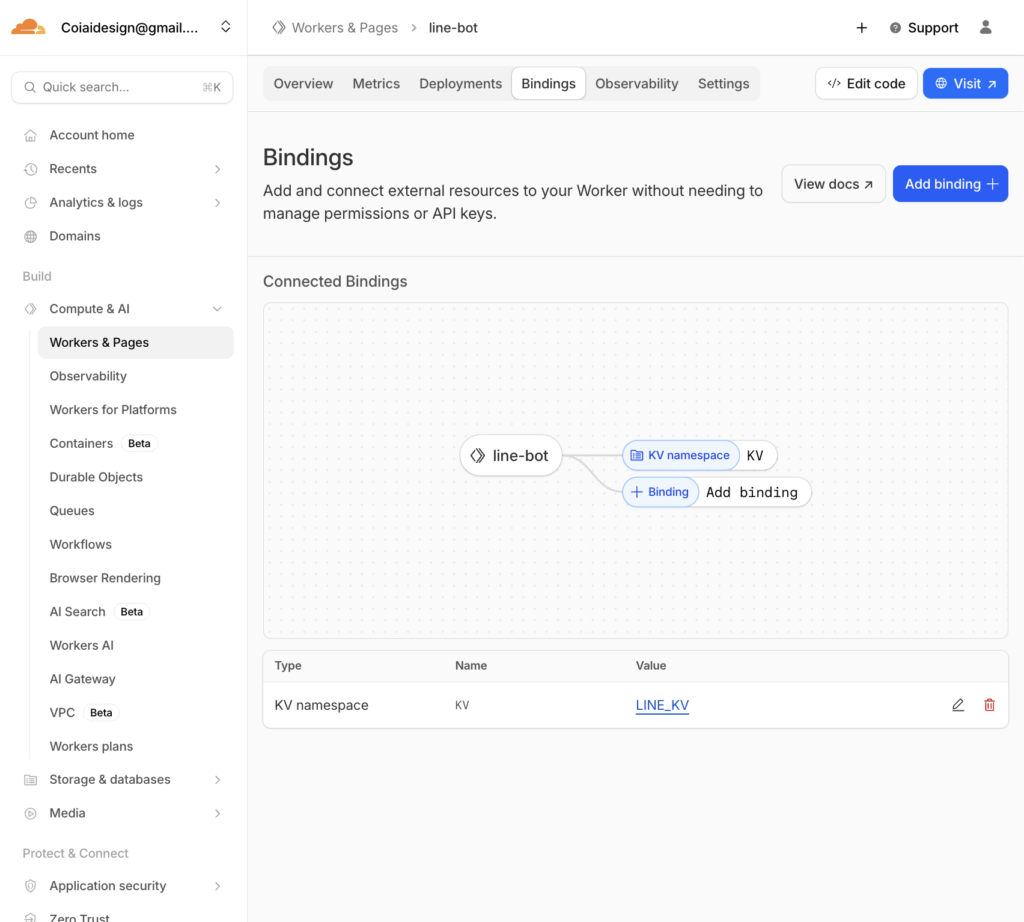
• Create a namespace (e.g., LINE_KV)
• Binding
Cron Trigger
• Since 11:00 JST daily is 02:00 UTC
• Cron: 0 2 * * *
Implementation (a src/index.js that just works)
*Note: I didn't hard-code the token in the source — I set it as a Secret!
// src/index.js
// src/index.js
export default {
  // LINE Webhook 受信
  async fetch(request, env, ctx) {
    const reqId = crypto.randomUUID();
    const url = new URL(request.url);

    console.log(`[${reqId}] ===== fetch start =====`);
    console.log(`[${reqId}] method=${request.method} path=${url.pathname}`);

    // GETなどは疎通確認用に200で返す
    if (request.method !== "POST") {
      console.log(`[${reqId}] non-POST -> 200 OK`);
      return new Response("OK", { status: 200 });
    }

    // Bodyを一旦テキストで受けてログ(※個人情報が入る可能性があるので運用で注意)
    let raw = "";
    try {
      raw = await request.text();
      console.log(`[${reqId}] raw body=${raw}`);
    } catch (e) {
      console.log(`[${reqId}] body read error`, e);
      return new Response("OK", { status: 200 });
    }

    // JSON parse
    let body;
    try {
      body = JSON.parse(raw || "{}");
    } catch (e) {
      console.log(`[${reqId}] JSON parse error`, e);
      return new Response("OK", { status: 200 });
    }

    // Verify は events=[] のことがある → 200返して終わり
    const event = body?.events?.[0];
    if (!event) {
      console.log(`[${reqId}] no events (verify?) -> 200 OK`);
      return new Response("OK", { status: 200 });
    }

    console.log(`[${reqId}] event.type=${event.type}`);
    console.log(`[${reqId}] source=${JSON.stringify(event.source || {})}`);

    // replyToken がないイベントもある
    const replyToken = event.replyToken;
    console.log(`[${reqId}] hasReplyToken=${!!replyToken}`);

    // メッセージイベントだけ処理(必要なら拡張)
    if (event.type === "message" && event.message?.type === "text") {
      const text = (event.message.text || "").trim();
      const lower = text.toLowerCase();
      console.log(`[${reqId}] text="${text}"`);

      // ping → 動作確認
      if (lower === "ping") {
        if (!replyToken) return new Response("OK", { status: 200 });
        await safeReply(env, reqId, replyToken, "pong");
        return new Response("OK", { status: 200 });
      }

      // setup → groupId を KV に保存(グループ内で実行)
      if (lower === "setup") {
        const source = event.source || {};
        if (source.type === "group" && source.groupId) {
          await env.KV.put("LINE_GROUP_ID", source.groupId);
          console.log(`[${reqId}] saved LINE_GROUP_ID=${source.groupId}`);

          if (replyToken) {
            await safeReply(env, reqId, replyToken, "✅ このグループを送信先に設定しました!");
          }
          return new Response("OK", { status: 200 });
        } else {
          console.log(`[${reqId}] setup called but not in group`);
          if (replyToken) {
            await safeReply(env, reqId, replyToken, "⚠️ setup はグループ内で送ってください(グループIDが取れません)");
          }
          return new Response("OK", { status: 200 });
        }
      }

      // その他のテキストは無視(必要ならここで返信してもOK)
      console.log(`[${reqId}] text ignored`);
    } else {
      console.log(`[${reqId}] non-text message or non-message event ignored`);
    }

    return new Response("OK", { status: 200 });
  },

  // Cron Trigger(毎日送信)
  async scheduled(event, env, ctx) {
    const runId = crypto.randomUUID();
    console.log(`[${runId}] ===== scheduled start =====`);
    console.log(`[${runId}] cron=${event.cron}`);

    const groupId = await env.KV.get("LINE_GROUP_ID");
    console.log(`[${runId}] groupId=${groupId}`);

    if (!groupId) {
      console.log(`[${runId}] no groupId saved -> skip`);
      return;
    }

    const meetUrl = env.MEET_URL;
    console.log(`[${runId}] hasMeetUrl=${!!meetUrl}`);

    if (!meetUrl) {
      console.log(`[${runId}] MEET_URL missing -> skip`);
      return;
    }

    const msg = `今日のGoogle Meetはこちら👇\n${meetUrl}`;
    await safePush(env, runId, groupId, msg);

    console.log(`[${runId}] ===== scheduled end =====`);
  },
};

// --- LINE Reply(失敗しても例外で落とさずログを残す) ---
async function safeReply(env, reqId, replyToken, text) {
  if (!env.LINE_ACCESS_TOKEN) {
    console.log(`[${reqId}] LINE_ACCESS_TOKEN missing (secret not set?)`);
    return;
  }

  try {
    const res = await fetch("https://api.line.me/v2/bot/message/reply", {
      method: "POST",
      headers: {
        "Content-Type": "application/json",
        "Authorization": `Bearer ${env.LINE_ACCESS_TOKEN}`,
      },
      body: JSON.stringify({
        replyToken,
        messages: [{ type: "text", text }],
      }),
    });

    const body = await res.text();
    console.log(`[${reqId}] reply status=${res.status} body=${body}`);
  } catch (e) {
    console.log(`[${reqId}] reply fetch error`, e);
  }
}

// --- LINE Push(Cronなど任意タイミング用) ---
async function safePush(env, runId, to, text) {
  if (!env.LINE_ACCESS_TOKEN) {
    console.log(`[${runId}] LINE_ACCESS_TOKEN missing (secret not set?)`);
    return;
  }

  try {
    const res = await fetch("https://api.line.me/v2/bot/message/push", {
      method: "POST",
      headers: {
        "Content-Type": "application/json",
        "Authorization": `Bearer ${env.LINE_ACCESS_TOKEN}`,
      },
      body: JSON.stringify({
        to,
        messages: [{ type: "text", text }],
      }),
    });

    const body = await res.text();
    console.log(`[${runId}] push status=${res.status} body=${body}`);
  } catch (e) {
    console.log(`[${runId}] push fetch error`, e);
  }
}
/wrangler.toml
name = "line-meet-bot"
main = "src/index.js"
compatibility_date = "2026-01-12"
Testing it
1. Invite the bot to your LINE group
2. Send "ping" in the group → get "pong" back
3. Send "setup" in the group → get a "configured" reply back
(*Note: if KV isn't set up yet, this tends to produce no response)
4. Set the cron to 0 2 * * *
5. Starting the next day, the Meet URL will be posted every day at 11:00 (JST)