
Environment
- Windows 11 Pro 252H
- Unity 6 6000.03.1f1
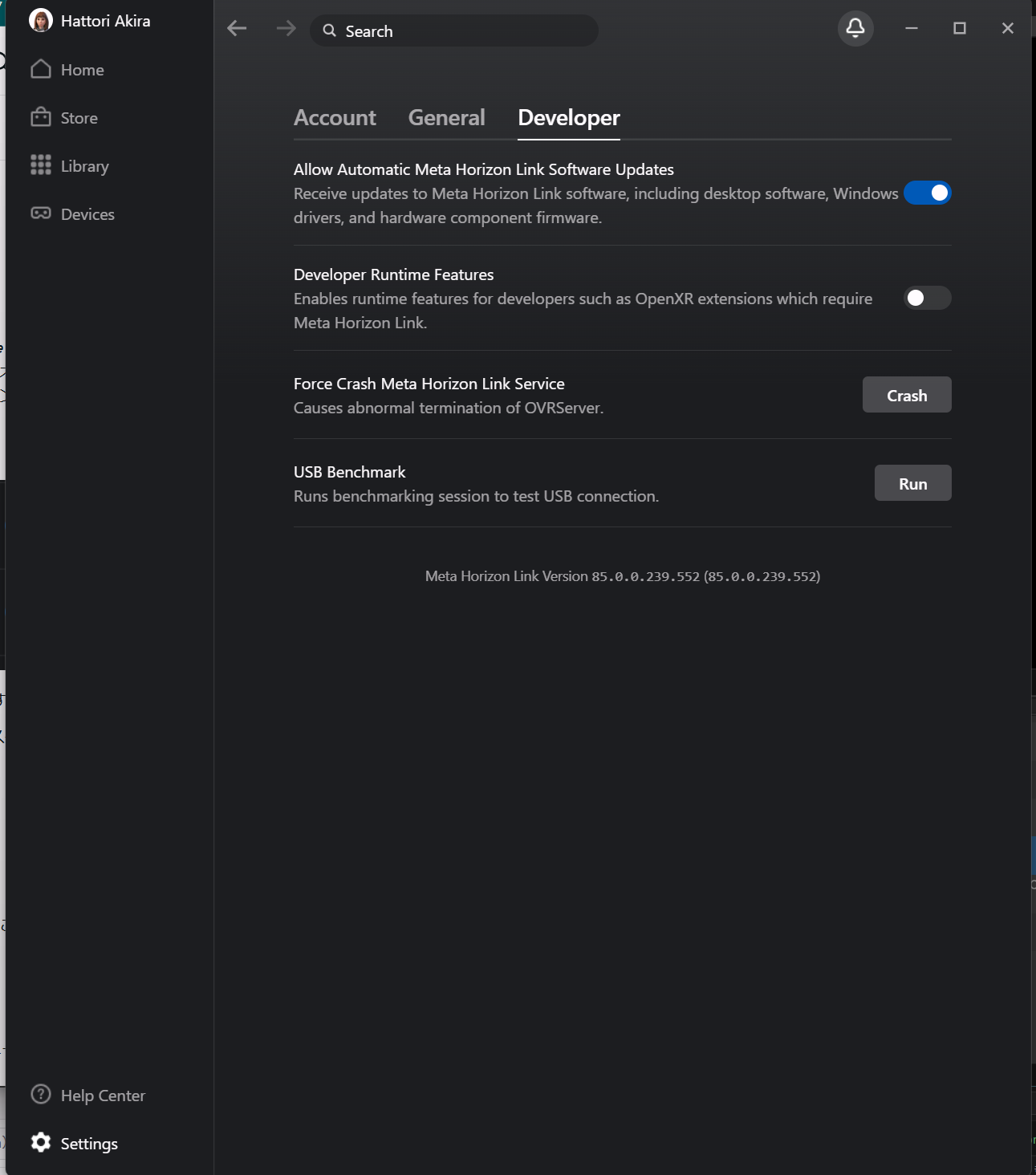
- Meta Horizon Link Version 85.0.0.239.552 (85.0.0.239.552)
While building a Quest-ready app in Unity and testing it over Link, turning on passthrough threw an error and left the app stuck on the hourglass, unable to open.
The console showed the following error.
Failed to initialize Insight Passthrough. Please ensure that all prerequisites for running Passthrough over Link are met: <a href="https://developer.oculus.com/documentation/unity/unity-passthrough-gs/#prerequisites-1">https://developer.oculus.com/documentation/unity/unity-passthrough-gs/#prerequisites-1</a>. Passthrough will be unavailable. Error Failure_NotInitialized.
UnityEngine.Debug:LogError (object)
OVRManager:InitializeInsightPassthrough () (at ./Library/PackageCache/com.meta.xr.sdk.core/Scripts/OVRManager.cs:3606)
OVRManager:InitOVRManager () (at ./Library/PackageCache/com.meta.xr.sdk.core/Scripts/OVRManager.cs:2355)
OVRManager:Awake () (at ./Library/PackageCache/com.meta.xr.sdk.core/Scripts/OVRManager.cs:2455)
How to Fix It
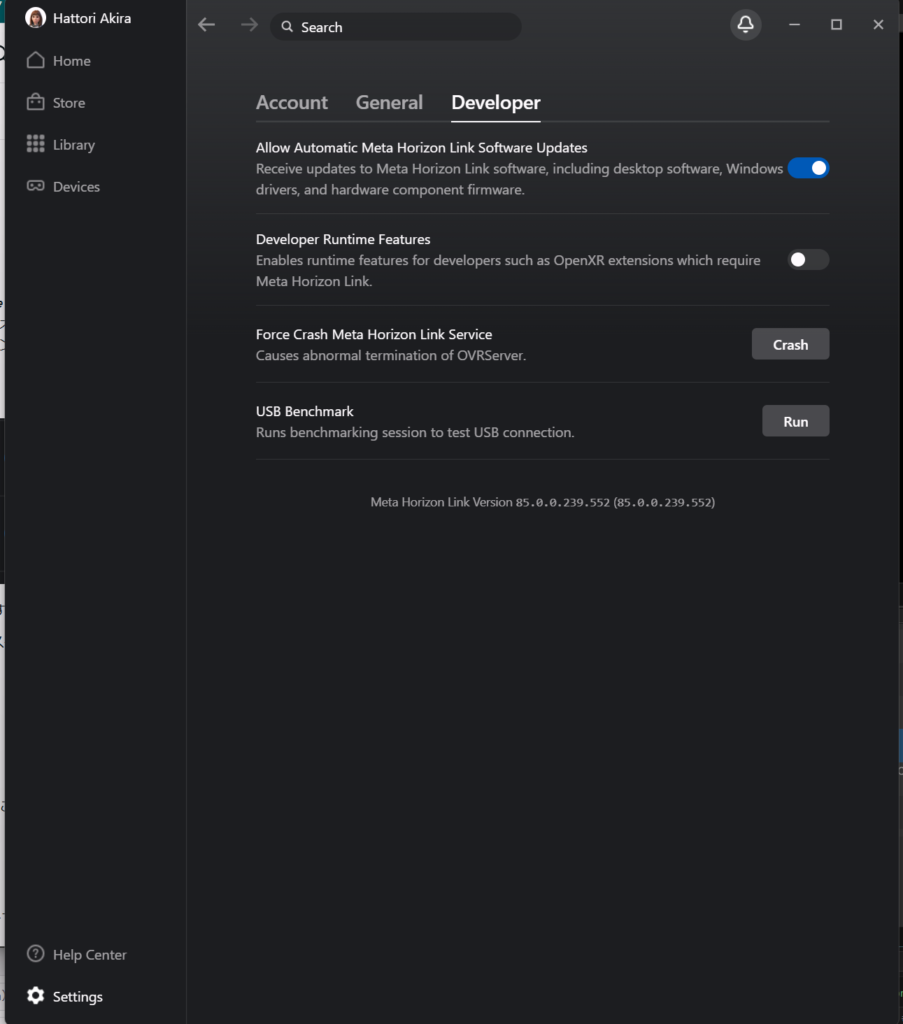
Open the Meta Horizon app on your PC.
Open Settings, then go to the Developer tab.
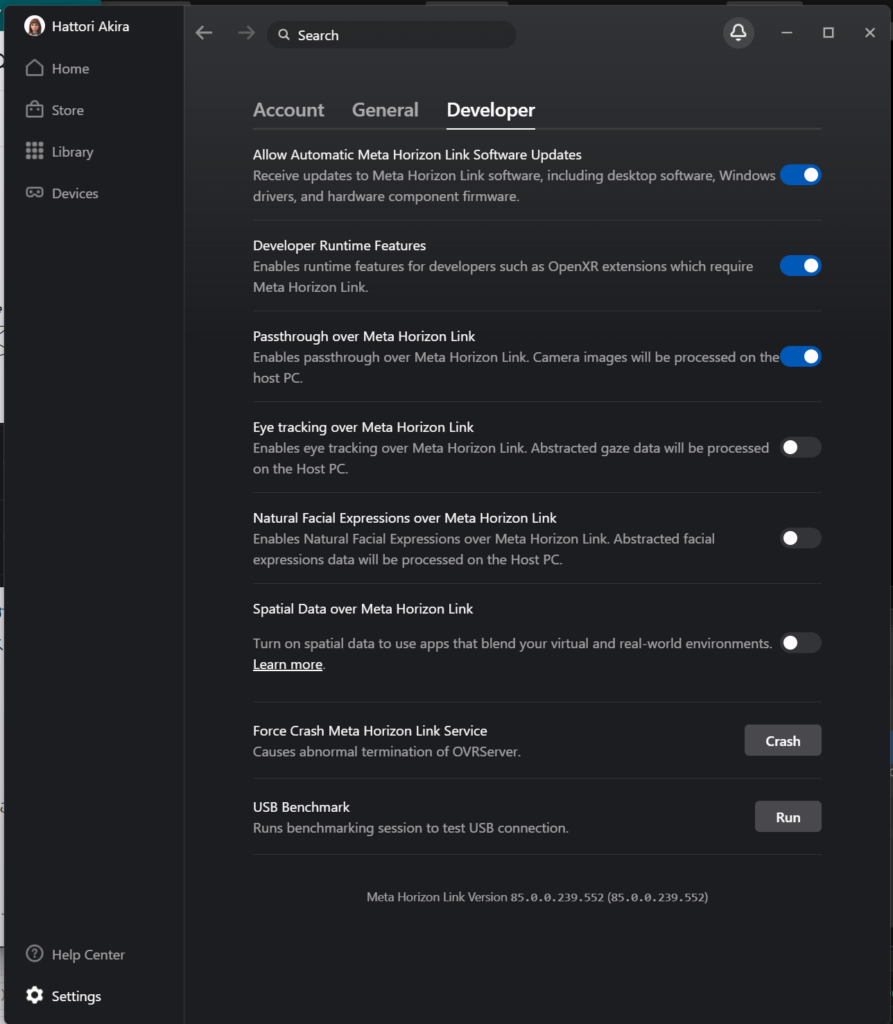
Turn Developer Runtime Features ON.
Next, turn on Passthrough over Meta Horizon Link.
Prerequisite
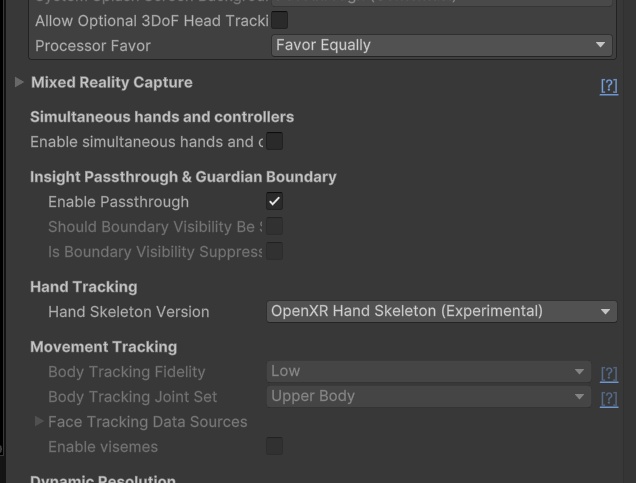
Make sure Enable Passthrough is checked under Passthrough & Guardian Boundary in OVR Manager.
Reference
Closing Thoughts
At coiai, we also build apps for Oculus. We take on contract development, including projects we're brought onto from the design stage onward, so feel free to reach out.